

EITC - The European Information Technologies Certification Programme
The European IT Certification Programme (EITC) is a globally recognized standard in advanced IT skills certification for the industry. In both programme load and formally certified IT competencies, it exceeds the ECDL (European Computer Driving Licence) Certification Programme and is targeted at IT Professionals, rather than computer end-users, as is the case with the ECDL Certification.
A governing body and a licensing authority for the EITC (the European IT Certification Programme) is the European IT Certification Institute with headquarters based in Brussels, Belgium and with local office branches distributed in most European Union member states. The EITC is however not only an European IT certification standard in applicable sense – it is broadly accepted internationally in most countries outside the European Union (including countries in Americas, Asia, Australia and Africa continents).
Exemplary EITC Certificate:
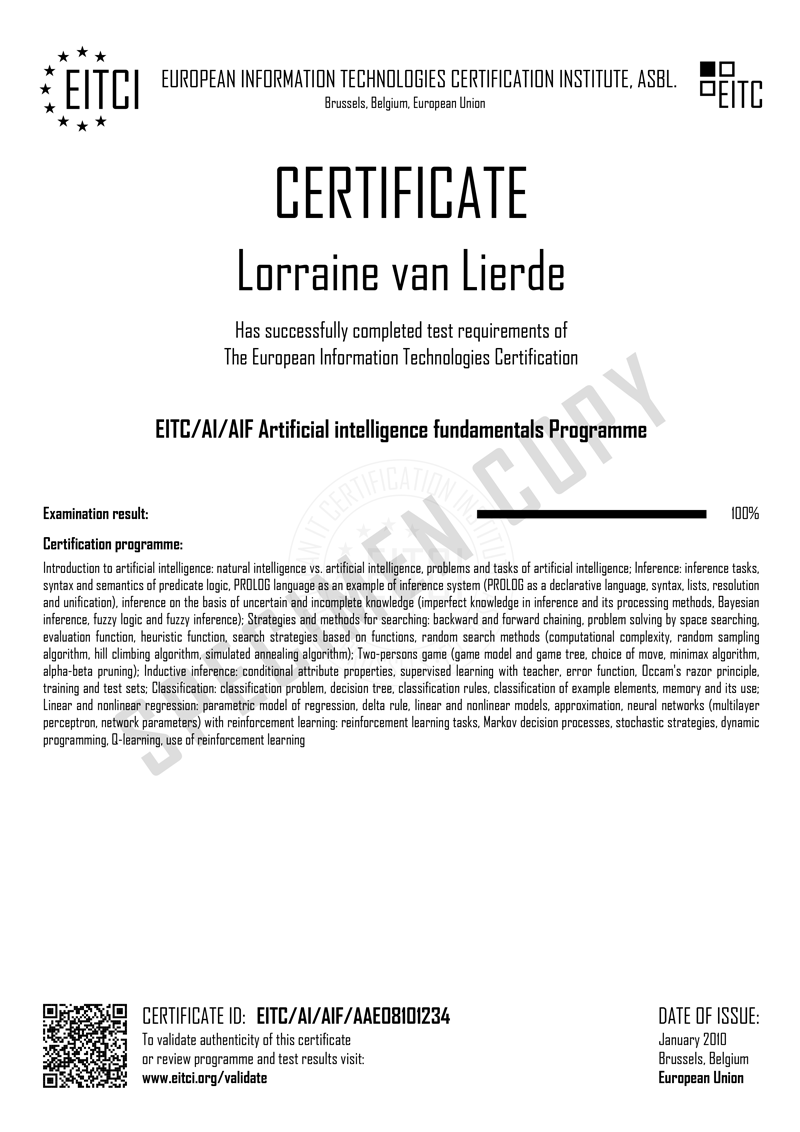 Click to enlarge...
Exemplary EITC programmes:
Introduction to the EU AI Act as an applied AI-lifecycle framework for trustworthy innovation, including the definition of an AI system, the roles of providers, deployers, importers, distributors and product manufacturers, the regulatory timeline, and the compliance workflow from inventory and classification through controls, documentation and monitoring; risk-based classification covering prohibited practices, high-risk AI embedded in regulated products, Annex III use cases and transparency obligations; requirements for high-risk systems spanning continuous risk management, data governance and bias controls, technical documentation, record-keeping, deployer instructions, human oversight, accuracy, robustness and AI cybersecurity; provider and deployer responsibilities, conformity assessment, harmonised standards, CE marking, EU database registration, fundamental-rights impact assessment, post-market monitoring and serious-incident reporting; distinctions between AI models, AI systems, general-purpose AI models and downstream applications, including GPAI provider obligations, systemic-risk models, the GPAI Code of Practice and compliance evidence for chatbots, RAG systems, copilots and AI agents; organisational AI literacy, governance operating models, regulatory authorities, sandboxes, enforcement, penalties, complaints, explanations and audit readiness; integration with GDPR, NIS2, DORA, product-safety and procurement requirements; concluding AI Act Compliance Pack incorporating rapid triage, role- and lifecycle-based control lists, readiness assessment and a practical 90-day implementation roadmap
Introduction: introduction to advanced machine learning approaches; Neural networks: neural networks foundations; Advanced computer vision: convolutional neural networks for image recognition, advanced models for computer vision; Optimization: optimization for machine learning; Recurrent neural networks: sequences and recurrent networks; Natural language processing: advanced deep learning for natural language processing; Attention and memory: attention and memory in deep learning; Generative adversarial networks: advances in generative adversarial networks; Unsupervised learning: unsupervised representation learning; Advanced generative models: modern latent variable models; Responsible innovation: responsible innovation and artificial intelligence
Introduction to agentic artificial intelligence from LLM assistants to autonomous and semi-autonomous systems, including reasoning, planning and control patterns, tools, actions, environments and the agent-computer interface, state and memory architectures, context engineering, agent taxonomy and criteria for deciding when agents should not be used; applied agent operation covering task intake, scoping, delegation, behavioural contracts, human-in-the-loop approvals, oversight and responsible use of commercial and enterprise agents; tool integration through function calling, structured contracts, MCP, enterprise connectors, agent-to-agent interoperability, retrieval-grounded and knowledge-grounded operation, reusable skills and tool ecosystems; production-grade single-agent development spanning requirements, product design, success metrics, implementation-stack selection, agent loops, persistent state, memory stores, knowledge systems, integration, sandboxing and controlled local or web execution; multi-agent architectures covering coordination, handoffs, shared state, blackboard patterns, specialist swarms, enterprise digital workforces, swarm failure modes and workflow evaluation; reliability engineering through agent metrics, benchmarks, simulation-based evaluations, observability, tracing, debugging, adversarial testing, security and compliance; AgentOps practices for deployment architectures, runtime environments, CI/CD, release management, monitoring, model routing, cost, latency and reliability optimisation; enterprise integration, change management and adoption; capstone resulting in a production-ready agent or multi-agent swarm with documented controls and operational evidence
Introduction to artificial intelligence: natural intelligence vs. artificial intelligence, problems and tasks of artificial intelligence; Inference: inference tasks, syntax and semantics of predicate logic, PROLOG language as an example of inference system (PROLOG as a declarative language, syntax, lists, resolution and unification), inference on the basis of uncertain and incomplete knowledge (imperfect knowledge in inference and its processing methods, Bayesian inference, fuzzy logic and fuzzy inference); Strategies and methods for searching: backward and forward chaining, problem solving by space searching, evaluation function, heuristic function, search strategies based on functions, random search methods (computational complexity, random sampling algorithm, hill climbing algorithm, simulated annealing algorithm); Two-persons game (game model and game tree, choice of move, minimax algorithm, alpha-beta pruning); Inductive inference: conditional attribute properties, supervised learning with teacher, error function, Occam's razor principle, training and test sets; Classification: classification problem, decision tree, classification rules, classification of example elements, memory and its use; Linear and nonlinear regression: parametric model of regression, delta rule, linear and nonlinear models, approximation, neural networks (multilayer perceptron, network parameters) with reinforcement learning: reinforcement learning tasks, Markov decision processes, stochastic strategies, dynamic programming, Q-learning, use of reinforcement learning
Introduction to AI fundamentals in plain language, including the AI map (AI vs ML vs DL vs GenAI), predictive vs generative task framing, and the AI project lifecycle from problem framing through data, training, evaluation, deployment, and monitoring; core ML foundations covering data quality and labeling, leakage, imbalance and drift, train/validation/test split strategies, first models without code, failure modes, and practical evaluation with confusion matrices, precision/recall vs accuracy, threshold tuning and decision costs; deep learning intuition (neurons, layers, activations, loss/optimization, overfitting/regularization), representations and embeddings, vision hierarchies and attention/transformers; GenAI and LLM foundations (tokenization, next-token probability, context limits, pre-training->instruction tuning->RLHF, prompting patterns, multimodality, hallucinations, grounding with RAG/citations and rubric-based evaluation); responsible AI practice spanning bias/fairness and explainability, GDPR-style privacy-by-design and EU AI Act risk logic, security and red teaming; hands-on professional toolkits across organizational roles (research with citations, prototyping, automation with guardrails, data analysis, QA/evals, writing, design, video, marketing/sales, governance, finance, knowledge management, cybersecurity, FinOps and ESG); AI agents from OODA reasoning to single agents, swarms, shared state/handoffs, tracing/evals and safe HITL deployment; and a concluding AI operating system emphasizing SOPs, strategic tool selection (complexity ladder), vendor-agnostic design and continuous adaptation
Introduction to post-quantum cryptography as a controlled quantum-risk transition discipline, including quantum-computation consequences for confidentiality, authentication, integrity and long-term validation, harvest-now-decrypt-later exposure, EU transition policy, standards-status governance, enterprise cryptographic dependency scoping and quantum-readiness programme ownership; standards-aware algorithm engineering covering security notions, primitive selection, ML-KEM, ML-DSA, SLH-DSA, stateful hash-based options, parameter choices, encoding rules, key and signature sizes, maturity/watch status, algorithm diversity and portfolio governance; secure implementation and validation practice spanning reproducible PQC laboratories, standards-aware APIs, end-to-end key establishment, signing workflows, side-channel and fault resistance, entropy, memory safety, verification, fuzzing, interoperability testing and assurance evidence; hybrid secure-communications migration covering combiners, downgrade resistance, TLS 1.3 transition, SSH and privileged access, VPN, IPsec and IKEv2, messaging, application protocols and staged pilot-to-production integration; quantum-ready PKI, identity and trust services spanning PKI architecture, X.509 engineering for PQ signatures and key establishment, CA/RA operations, HSM/KMS integration, key lifecycle, certificate policies, code, firmware, container and secure-boot signing, EU digital identity, trust services and long-term validation; discovery, agility and migration engineering covering cryptographic inventory, CBOMs, dependency mapping, quantum-risk scoring, urgency prioritisation (data lifetime, trust lifetime, migration lead time), crypto-agile abstraction and control planes, performance, interoperability, procurement clauses, supplier evidence, migration factory and change delivery; sector deployment and operational assurance through reference architectures, cloud/network/product/IoT patterns, observability, certificate rotation, incident triggers, assurance and certification evidence, procurement review, strategic complementarity with QKD and symmetric-strengthening decisions; concluding Quantum-Readiness Transition and Assurance Dossier with impact maps, timing-risk register, algorithm profiles, implementation receipts, hybrid protocol and PKI designs, CBOM/performance evidence, supplier decisions, runbooks and board-ready migration recommendation
Introduction: introduction to reinforcement learning; Tradeoff between exploration and exploitation: exploration and exploitation; Markov decision processes: Markov decision processes and dynamic programming; Prediction and control: model-free prediction and control; Deep reinforcement learning: function approximation and deep reinforcement learning, policy gradients and actor critics, planning and models, advanced topics in deep, reinforcement learning, deep reinforcement learning agents; Case studies: classic games case study, AlphaGo mastering Go, AlphaZero mastering chess, Shogi and Go, AlphaZero defeating Stockfish in chess, AlphaStar mastering StartCraft II
Introduction: introduction to deep learning with Python and Pytorch; Data: datasets; Neural network: building neural network, training model; Convolution neural network (CNN): introdution to Convnet with Pytorch, training Convnet; Advancing with deep learning: computation on the GPU, model analysis
Introduction: deep learning with Python, TensorFlow and Keras; Data: loading in your own data; Convolutional neural networks (CNN): introduction to convolutional neural networks (CNN); TensorBoard: analyzing models with TensorBoard, optimizing with TensorBoard, using trained model; Recurrent neural networks: introduction to Recurrent Neural Networks (RNN), introduction to Cryptocurrency-predicting RNN, normalizing and creating sequences Crypto RNN, balancing RNN sequence data, cryptocurrency-predicting RNN Model
Introduction: introduction to deep learning with neural networks and TensorFlow; TensorFlow: installing TensorFlow, TensorFlow basics, neural network model, running the network, processing data, preprocessing conitnued, training and testing on data, using more data, installing the GPU version of TensorFlow for making use of a CUDA GPU, installing CPU and GPU TensorFlow on Windows; Recurrent neural networks in TensorFlow: recurrent neural networks (RNN), RNN example in Tensorflow; Convolutional neural networks in TensorFlow: convolutional neural networks basics, convolutional neural networks with TensorFlow; TensorFlow Deep Learning Library: TFLearn; Training a neural network to play a game with TensorFlow and Open AI: introduction, training data, training model, testing network; Using convolutional neural network to identify dogs vs cats: introduction and preprocessing, building the network, training the network, using the network; 3D convolutional neural network with Kaggle lung cancer detection competiton: introduction, reading files, visualizing, resizing data, preprocessing data, running the network; Deep learning in the browser with TensorFlow.js: introduction, basic TensorFlow.js web application, AI Pong in TensorFlow.js, training model in Python and loading into TensorFlow.js; Creating a chatbot with deep learning, Python, and TensorFlow: introduction, data structure, buffering dataset, determining insert, building database, database to training data, training a model, NMT concepts and parameters, interacting with the chatbot
Introduction: what is machine learning; First steps in Machine Learning: the 7 steps of machine learning, plain and simple estimators, serverless predictions at scale, TensorBoard for model visualization, deep neural networks and estimators; Further steps in Machine Learning: big data for training models in the cloud, natural language generation, distributed training in the cloud, machine learning use case in fashion, data wrangling with pandas (Python Data Analysis Library), introduction to Kaggle Kernels, working with Jupyter, choosing Python package manager; Google tools for Machine Learning: Google Cloud Datalab - notebook in the cloud, printing statements in TensorFlow, TensorFlow object detection on iOS, visualizing data with Facets, Google Quick Draw - doodle dataset, Google machine learning overview; Advancing in Machine Learning: GCP BigQuery and open datasets, data science project with Kaggle, AutoML Vision, Scikit-learn, Scikit-learn models at scale, Introduction to Keras, scaling up Keras with estimators, introduction to TensorFlow.js, importing Keras model into TensorFlow.js, deep learning VM Images, TensorFlow Hub for more productive machine learning, TensorFlow Eager Mode, Jupyter on the web with Colab, upgrading Colab with more compute, Kubeflow - machine learning on Kubernetes, BigQuery ML - machine learning with standard SQL; Expertise in Machine Learning: PyTorch on GCP, AutoML Tables, TensorFlow privacy, visualizing convolutional neural networks with Lucid, understanding image models and predictions using an Activation Atlas, natural language processing - bag of words, AutoML natural language for custom text classification, Tensor Processing Units - history and hardware, diving into the TPU v2 and v3; Google Cloud AI Platform: AI Platform training with built-in algorithms, training models with custom containers on Cloud AI Platform, using the What-If tool for explainability, introduction to Explanations for AI Platform, Cloud AI Data labeling service, introduction to JAX, setting up AI Platform Pipelines, AI Platform Optimizer, persistent Disk for productive data science, translation API, AutoML Translation
Introduction: introduction to the Google Cloud Vision API, introduction to the Google Cloud Vision API in Python; Getting started: configuration and setup; Understanding text in visual data: detecting and extracting text from image, detecting and extracting text from handwriting, detecting and extracting text from files (PDF/TIFF); Understanding images: detecting crop hints, detecting faces, image properties detection; Labelling images: labels detection; Advanced images understanding: detecting landmarks, detecting logos, objects detection, explicit content detection (safe search feature); Understanding web visual data: detecting web entities and pages; Understanding shapes and objects: drawing object borders using pillow python library
Introduction to artificial intelligence security as an applied protection, adversarial-assessment and assurance discipline, including system-boundary definition, AI threat modelling, adversary objectives, attack lifecycle, AI threat intelligence, abuse-case engineering, security requirements, deterministic control boundaries, governance roles, assurance cases and responsible red-team practice; data, training-pipeline and supply-chain security covering asset classification, provenance, rights and trust admission, poisoning, contamination, label manipulation, adversarial biasing, secure dataset pipelines, privacy engineering, leakage-resistant learning, model, dataset and dependency assurance, secure training, fine-tuning and release provenance; adversarial machine learning and model privacy spanning evasion across modalities, adversarial examples, backdoors, transfer attacks, federated-learning risks, model extraction and stealing, reconnaissance, intellectual-property protection, membership inference, inversion, memorisation, gradient leakage, robustness engineering, uncertainty, out-of-distribution detection and resilience evidence; LLM, RAG, multimodal and agentic application security covering prompt injection, jailbreaks, instruction-channel abuse, embedding and vector-store manipulation, retrieval and long-term memory controls, output handling, data exfiltration, multimodal execution paths, tool-using agents, MCP/A2A and multi-agent security, guardrails and human authority; secure AI platform operation and MLSecOps across asset inventories, registries, CI/CD/CT, evidence pipelines, compute and accelerator security, containers, orchestration, inference endpoints, model access, denial-of-wallet resilience, runtime monitoring, drift, abuse detection, observability, secure change, rollout, rollback, decommissioning and recovery; security evaluation, red/purple teaming and incident response through coverage models, metrics, controlled attack construction, automated evaluation, human-led testing of models, applications and agents, detection validation, remediation verification, AI-specific forensics, disclosure and crisis exercises; synthetic-media and provenance assurance covering deepfake and impersonation chains, detection limits, liveness and forensic confidence, watermarking, fingerprinting, ownership signals, cryptographic provenance, C2PA-style authenticity architectures and layered content-trust decisions; concluding AI Security Assurance, Red-Team and Incident Readiness Dossier with risk register, attack paths, test evidence, secure architecture, monitoring controls, forensic plan and executive handover
Introduction: introduction to practical machine learning with Python; Regression: introduction to regression, regression features and labels, regression training and testing, regression forecasting and predicting, pickling and scaling, understanding regression; Programming machine learning: programming the best fit slope, programming the best fit line, R squared theory, programming R squared, testing assumptions, introduction to classification with K nearest neighbors, K nearest neighbors application, Euclidean distance, defining K nearest neighbors algorithm, programming own K nearest neighbors algorithm, applying own K nearest neighbors algorithm, summary of K nearest neighbors algorithm; Support vector machine: support vector machine introduction and application, understanding vectors, support vector assertion, support vector machine fundamentals, support vector machine optimization, creating an SVM from scratch, SVM training, SVM optimization, completing SVM from scratch, kernels introduction, reasons for kernels, soft margin SVM, soft margin SVM and kernels with CVXOPT, SVM parameters; Clustering, k-means and mean shift: clustering introduction, handling non-numerical data, K means with titanic dataset, custom K means, K means from scratch, mean shift introduction, mean shift with titanic dataset, mean shift from scratch, mean shift dynamic bandwidth
Introduction to TensorFlow: fundamentals of machine learning, basic computer vision with ML, introducing convolutional neural networks, building an image classifier; Neural Structured Learning with TensorFlow: Neural Structured Learning framework overview, training with natural graphs, training with synthesized graphs, adversarial learning for image classification; Natural Language Processing with TensorFlow: tokenization, sequencing - turning sentences into data, training a model to recognize sentiment in text, ML with recurrent neural networks, long short-term memory for NLP, training AI to create poetry; Programming TensorFlow: introduction to TensorFlow coding, introducing TensorFlow Lite, TensorFlow Lite for Android, TensorFlow Lite for iOS, TensorFlow.js, TensorFlow.js in your browser, preparing dataset for machine learning, building a neural network to perform classification, using TensorFlow to classify clothing images; Text classification with TensorFlow: preparing data for machine learning, designing a neural network; Overfitting and underfitting problems: solving model's overfitting and underfitting problems; Advancing in TensorFlow: saving and loading models, TensorFlow Lite, experimental GPU delegate; TensorFlow in Google Colaboratory: getting started with Google Colaboratory, getting started with TensorFlow in Google Colaboratory, building a deep neural network with TensorFlow in Colab, how to take advantage of GPUs and TPUs for your ML project, upgrade your existing code for TensorFlow 2.0, using TensorFlow to solve regression problems; TensorFlow 2.0: introduction to TensorFlow 2.0; TensorFlow high-level APIs: loading data, going deep on data and features, building and refining your models; TensorFlow Extended (TFX): ML engineering for production ML deployments with TFX, what exactly is TFX, TFX pipelines, metadata, distributed processing and components, model understanding and business reality; TensorFlow Applications: Air Cognizer predicting air quality with ML, helping Doctors Without Borders staff prescribe antibiotics for infections, helping doctors detect respiratory diseases using machine learning, utilizing deep learning to predict extreme weather, helping paleographers transcribe medieval text with ML, Airbnb using ML categorize its listing photos, using machine learning to tackle crop disease, AI helping to predict floods, positive current, Daniel and the sea of sound, beneath the canopy, using machine learning to predict wildfires, tracking asteroids with machine learning, identifying potholes on Los Angeles roads with ML, dance Like, an app that helps users learn how to dance using machine learning, how machine learning is being used to help save the world's bees
Introduction: introduction to Google AI Quantum, introduction to quantum computing; Implementing quantum computer: building a quantum computer with superconducting qubits; Programming quantum computer: programming a quantum computer with Cirq; Quantum supremacy: quantum supremacy explained, control of transmon qubits using a cryogenic CMOS integrated circuit, quantum supremacy: benchmarking the Sycamore processor, extracting coherence information from random circuits, estimation of statistical significance of quantum supremacy; Overview of TensorFlow Quantum: TensorFlow Quantum: a software platform for hybrid quantum-classical ML, layer-wise learning for quantum neural networks; Practical TensorFlow Quantum - binary classifier: using Tensorflow Quantum for simple quantum binary classification; Practical Tensorflow Quantum - XOR problem: solving the XOR problem with quantum machine learning with TFQ, quantum XOR decision boundary with TFQ; Quantum reinforcement learning: replicating reinforcement learning with quantum variational circuits with TFQ; Quantum Approximate Optimization Algorithm (QAOA): quantum Approximate Optimization Algorithm (QAOA) with Tensorflow Quantum; Variational Quantum Eigensolver (VQE): variational Quantum Eigensolver (VQE) in Tensorflow Quantum for single qubit Hamiltonians, variational Quantum Eigensolver (VQE) in TensorFlow-Quantum for 2 qubit Hamiltonians, optimizing VQE's with Rotosolve in Tensorflow Quantum
Introduction to knowledge associated with computerization of business / administration: needs and potential for computerization in institutions (objectives of an institution, business areas, benefits of computerization), business requirements analysis, problem of information security; information and communication technologies solutions overview: information and communication infrastructure, software support for main business processes, software for enterprise management, complex ERP systems, other solutions based on information technologies (real time collaboration software, internet based communication solutions, mobile solutions, systems of authorization and access control, monitoring systems), customer relationship management - CRM systems: introduction and overview of CRM systems functionality, exemplary CRM systems (installation, configuration and system administration, customers, sales, graphs and reports, calendar and activities organization, auxiliary tools and interface organization), Internet telephony: VoIP technology, benefits and problems related to usage of Internet telephony, VoIP devices, Internet telephony market, VoIP in practice - using VoIP software and hardware
Introduction to knowledge associated with computerization of business / administration: needs and potential for computerization in institutions (objectives of an institution, business areas, benefits of computerization), business requirements analysis, problem of information security; information and communication technologies solutions overview: information and communication infrastructure, software support for main business processes, software for enterprise management, complex ERP systems, other solutions based on information technologies (real time collaboration software, internet based communication solutions, mobile solutions, authorization and access control systems, monitoring systems), customer relationship management - CRM systems: introduction and overview of CRM systems functionality, exemplary CRM systems (installation, configuration and system administration, customers, sales, graphs and reports, calendar and activities organization, auxiliary tools and interface organization)
Introduction to management: management concepts, basic management functions, major trends in human resources management, organization, teamwork (team creation, team types, standards, and objectives, roles of group members and their skills, assertiveness, conflict), communication and its role (effective communication, types of communication in organizations, active listening and communicating); Project management and human resources management: basic concepts of motivation, human relations and human resources model, theory of needs, leadership (situational approach to leadership, transformational leadership), recruitment (internal and external recruitment, trait theory, job interview), training (training effectiveness); Introduction to project management: project implementation stages, project management in practice, project schedule (PERT method); Prince2 methodology: processes in Prince2-managed projects, components in the Prince2 methodology; Microsoft Project 2010: installation, application introduction, ribbon, tasks workspace, charts workspace (Gantt chart, network diagram, workload diagram); Formal aspects of information security: secure systems design principles, STRIDE model (Data Flow Diagrams, constructing threat model in STRIDE methodology)
Introduction to online advertising: Internet marketing (definitions, Internet usage statistics, Internet marketing tools and paradigms), basic e-advertising formats, advantages and disadvantages of online advertising; Google AdWords system: Advertising with Google AdWords (Google Inc. Advertising Principles and requirements for ads approval, ads displaying and scheduling, features of advertising with Google AdWords system); AdWords Account: account types, campaign creation (campaign settings), keyword management, fundamental principles for text ad creation; Main elements of Google Network: ad targeting in Google AdWords (targeting types, conditions for targeting specific users), keyword matching options (possible match types), AdWords payment types; AdWords ads effectiveness testing: impact of quality on search results, methods of monitoring ads effectiveness, report feature (types of reports), conversion role; Payments in Google AdWords system: Billing process (billing cycle, European Union Value-Added Tax - EU VAT); Landing pages and account optimizing: keywords, placements, ads scheduling, ads positioning (setting position preferences), advanced optimization; Google AdWords Tools: usage of Google AdWords tools, AdWords Editor application characteristic (View and Sort Information functionalities); Google Analytics - website statistics and visits tracking system : account creation, main advantages, differences between Google Analytics and conversion tracking, methods of efficient usage of statistics, main indicators in Google Analytics; Google AdWords features: My Client Center (client accounts management), AdWords API (advantages and benefits, API features)
Introduction to online advertising: Internet marketing (definitions, Internet usage statistics, Internet marketing tools and paradigms), basic e-advertising formats, advantages and disadvantages of online advertising; Google AdWords system: Advertising with Google AdWords (Google Inc. Advertising Principles and requirements for ads approval, ads displaying and scheduling, features of advertising with Google AdWords system); AdWords Account: account types, campaign creation (campaign settings), keyword management, fundamental principles for text ad creation; Main elements of Google Network: ad targeting in Google AdWords (targeting types, conditions for targeting specific users), keyword matching options (possible match types), AdWords payment types; AdWords ads effectiveness testing: impact of quality on search results, methods of monitoring ads effectiveness, report feature (types of reports), conversion role; Payments in Google AdWords system: Billing process (billing cycle, European Union Value-Added Tax - EU VAT); Landing pages and account optimizing: keywords, placements, ads scheduling, ads positioning (setting position preferences), advanced optimization; Google AdWords Tools: usage of Google AdWords tools, AdWords Editor application characteristic (View and Sort Information functionalities); Google Analytics - website statistics and visits tracking system : account creation, main advantages, differences between Google Analytics and conversion tracking, methods of efficient usage of statistics, main indicators in Google Analytics; Google AdWords features: My Client Center (client accounts management), AdWords API (advantages and benefits, API features)
Introduction to online advertising: Internet marketing (definitions, Internet usage statistics, Internet marketing tools and paradigms), basic e-advertising formats, advantages and disadvantages of online advertising; Google AdWords system: Advertising with Google AdWords (Google Inc. Advertising Principles and requirements for ads approval, ads displaying and scheduling, features of advertising with Google AdWords system); AdWords Account: account types, campaign creation (campaign settings), keyword management, fundamental principles for text ad creation; Main elements of Google Network: ad targeting in Google AdWords (targeting types, conditions for targeting specific users), keyword matching options (possible match types), AdWords payment types; AdWords ads effectiveness testing: impact of quality on search results, methods of monitoring ads effectiveness, report feature (types of reports), conversion role; Payments in Google AdWords system: Billing process (billing cycle, European Union Value-Added Tax - EU VAT); Landing pages and account optimizing: keywords, placements, ads scheduling, ads positioning (setting position preferences), advanced optimization; Google AdWords Tools: usage of Google AdWords tools, AdWords Editor application characteristic (View and Sort Information functionalities); Google Analytics - website statistics and visits tracking system : account creation, main advantages, differences between Google Analytics and conversion tracking, methods of efficient usage of statistics, main indicators in Google Analytics; Google AdWords features: My Client Center (client accounts management), AdWords API (advantages and benefits, API features)
Internet marketing: Internet usage statistics, types of advertising, e-advertising formats, advantages and disadvantages of online advertising; Google; Google AdWords system: video ads, ads displaying and scheduling; The first campaign in the Google AdWords: account types, account activation, campaigns, keyword management, fundamental principles for text ad creation, keyword matching; Campaign targeting in Google AdWords system: contextual targeting, targeting on the search results pages, placement targeting, language and location targeting; targeting on users, custom targeting; Google AdWords ads effectiveness testing: keyword relevance, CTR, reporting, conversions; Costs and payments in Google AdWords system: ads emission methods, methods of payment, rates matching, billing process, billing cycle, charges; Optimize Google AdWords account: ads displaying, positioning preferences, ads scheduling; Google AdWords Tools: keyword suggestions, sites and categories exclusions, Campaign Optimizer, visits forecast, ads diagnostic, AdWords Editor application; Google Analytics; Client accounts management in Google AdWords system
Advantages of using Google Apps for companies and organizations, managing in Google Apps (logging to a domain, administration tools: domain administration; user adding, editing and deleting; service settings), main modules in Google Apps (Google Docs, Google Sites, Google Talk, Google Calendar); Google Docs: main features and functions (shared real-time editing, possibility of simultaneously documents editing and viewing by multiple users, auto-save, exporting documents on user's computer in different formats, document access control); troubleshooting: access problems, display problems, errors, system requirements; Text documents: creating new document, document uploading and converting, document formatting, online document editing by selected users, document sending, menu bar, document sharing (sharing to selected group, sending as an attachment by email, publication of document as a web page); Spreadsheet: online creation of new spreadsheet, uploading of an existing spreadsheet, importing and conversing of formatted data, data and files exporting, chart creation, inserting spreadsheet on the website, chatting with co-editors, inserting gadgets to spreadsheet (graphs, tables, maps, finance, diagrams, network, own gadgets), creation of online surveys, data validation, calculations; Multimedia presentations: presentation creating, editing, sharing, inserting images and video, formatting slides, watching online real-time presentation, publishing presentation on web page, inserting slides (text, image, video, tables, shapes); Google Sites: main features and functions (creating pages with one click, without knowledge of HTML language, customizing look and functionality, information access and sharing settings, creating websites whit pasted documents from other Google Apps), inserting (Google documents, Google Calendar, Google AdWords and AdSense, tables, spreadsheet, gadgets, movies from Google Video or YouTube), removing sites, changing appearance of sites, logo insertion, site publishing; Google Talk: Google Talk installation and registration (username, password, contact list, appearance settings, integration with Gmail, sharing, chat history), main features (chat in Google Talk and in integrated Gmail chat, contacts, group chat, cutting and pasting videos and slide shows URLs into chat, Google Talk Gadget - embedding on website), privacy policy; Google Calendar: main features and functions (calendar sharing, creating invitations to events, search your own and public calendar, access via mobile phone, confirming the participation of guests, events reminders), modifying calendar (creating multiple calendars, hiding calendars, calendar graphic design), issues of privacy policies
Introduction to management: what is management, basic managerial functions, main trends in human resources management, organization, teamwork, team creation and types of teams, group standards and group goals, roles of group members and their skills, assertiveness, conflict, communication and its role, effective communication, types of communication in organizations, active listening and communication of information; Project management and human resources management: basic motivation process, human Relations and a model of human resources, theories of needs, leadership (situational approach to leadership, transformational leadership), human resource management, recruitment (internal and external recruitment, trait theories, job interview), training (training effectiveness); Introduction to Project Management: project stages, project management in practice, project schedules; Computerization: desirability of computerization in institutions (objectives of an institution, areas of business activity, benefits of computerization), institution requirements audit, problem of information security, information and communication infrastructure, business activities supporting software, enterprise management software, comprehensive ERP systems, other IT-based solutions, introduction to CRM systems, CRM systems functions; Microsoft Project: application installation, getting started with Microsoft Project, ribbon, project tasks workspace, project charts workspace; Management of telework and remote group collaboration: flexible forms of employment in the current labor market situation, revision of telework definitions, telework and its organizational forms (telework types, telework and people with disabilities), society changes affecting technological conditions of telework ("Johoka Shakai" information society, transformation process in institutions, outline of the ICT usage as telework supporting instruments in modern enterprises, hardware for telework in the context of legal regulations and costs reimbursements), legal basis (rights and obligations of teleworker/telecommuter, rights and obligations of employer), types of contracts (civil law contracts, employment contract), telework employment contract example, IT software for telework (internal communication systems, internal publishing and information systems, internal group collaboration systems, Google Apps as a tool for communication and collaboration, Microsoft Office Sharepoint for communication and human resources management), IT hardware for telework (portable computers, mobile devices, wireless Internet access, VoIP alternative telecommunications systems, GPS location systems); Work management within Google Apps: GMail electronic mail (account creation, labels, filters, searching), Google messaging application (contact list, invitations, off-record mode, archive, voice and video conferencing), Google Docs word-processing editor (managing and organizing text documents, creating, sharing and editing of shared documents in real time (RTC), raster files importing and integrated optical character recognition OCR, text documents editing functions, managing history of changes), Google Docs spreadsheet editor (managing and organizing spreadsheets, creating, sharing and editing of shared spreadsheet in real time (RTC), spreadsheets editing functions, managing history of changes), Google Docs presentation editor (creating, sharing and editing of shared presentations in real time (RTC), embedding images and videos, sharing and publishing), Google Calendar (creating events, invitations and notifications, manage multiple calendars, sharing calendar, calendar settings)
Introduction to management: what is management, basic managerial functions, basic definitions, teamwork in various scopes; Project management and human resources management: basic motivation process, human Relations and a model of human resources, theories of needs, leadership, recruitment, training; Introduction to Project Management: project stages, project management in practice, project schedules; Computerization: benefits of computerization in institutions, institution requirements audit, problem of information security, information and communication infrastructure, business activities supporting software, enterprise management software, comprehensive ERP systems, other IT-based solutions, introduction to CRM systems, CRM systems functions; Microsoft Project as project management tool: application installation, getting started with Microsoft Project, ribbon, project tasks workspace, project charts workspace, Gantt chart, paths, resources, activities; Management of telework and remote collaboration: revision of telework definitions, telework (telework types), society changes affecting technological conditions of telework ("Johoka Shakai" information society, transformation process in institutions, ICT for telework, hardware for telework), legal basis (rights and obligations of teleworker/telecommuter and obligations of employer), IT software for telework (internal communication systems, internal publishing and information systems, internal group collaboration systems, Google Apps as a tool for communication and collaboration, Microsoft Office Sharepoint for communication and human resources management), IT hardware for telework (portable computers, mobile devices, wireless Internet access, VoIP, GPS location systems); Work management within Google Apps: GMail electronic mail, Google messaging application, Google Docs word-processing editor, Google Docs spreadsheet editor, Google Docs presentation editor, Google Calendar
> Microsoft Office Word: Introduction: main window, ribbon, Microsoft Office Button, Quick Access toolbar, printable and nonprintable characters, ruler, paragraph, indentation, margins, navigation, keyboard shortcuts; Document creation and edition: simple editing (copy, paste, cut), text formatting (font type, style, size), text alignment, line spacing, bullets and numbering (multilevel lists), auto-formatting (styles, table of contents, footnotes); Tables: creation methods, selection in tables, automatic formatting, table properties, text in a cell, AutoFit, cell size adjustment, graphical formatting; Objects in document: images (inserting and formatting), shapes (shape selection menu, categories of shapes, shape formatting, text in shapes), footer and header, SmartArts (inserting, categories, editing and formatting) > Microsoft Office Excel: Introduction: basic definitions and concepts (cell, cell edition, formulas), sample formulas, cell references (relative, absolute), cell formatting (number formats, graphical formatting); Usage of spreadsheets in business: sample formulas and functions (basic, statistical, financial, etc.), pivot tables (creation, filters, row and column labels, values, functionality), data grouping, data sorting, data validation (validation criteria, messages); Charts: chart creation, chart data, chart types, chart as an object (design, layout and format tabs), chart graphical and 3D formatting, sample charts; Excel options, module installation and usage (Solver tool example); Visual Basic language in Excel: basic concepts in VB (variables and arrays, procedures and functions, conditional statements, loops, cell and sheet access), macros (VB editor, defining events, creation, running and examples of macros) > Microsoft Office Power Point: Introduction: main window, slide, notes, fields on a slide; Creating a presentation: title slide, creating and editing a slide (types of slide layouts), themes (theme editing), slide show; Objects on a slide: inserting and editing objects, usage examples (formatting, many shapes insertion, shape connectors), objects overlapping, editing objects (shapes, SmartArts, images, tables); Object animation and transitions between slides: animation definition, animation modification (custom animation, auto-preview, animation effects, animation parameters, timing, triggers), adding and editing transitions between slides (single transition, transition parameters); Spell checking in MS Office (error corrections, dictionary); Slide Sorter view (slide operations: move, duplicate, copy, paste, delete); Printing (print types); Help in Microsoft Office (search for help topics, online and offline mode)
> Microsoft Office Word: Introduction: main window, ribbon, Microsoft Office Button, Quick Access toolbar, printable and nonprintable characters, ruler, paragraph, indentation, margins, navigation, keyboard shortcuts; Document creation and edition: simple editing (copy, paste, cut), text formatting (font type, style, size), text alignment, line spacing, bullets and numbering (multilevel lists), auto-formatting (styles, table of contents, footnotes); Tables: creation methods, selection in tables, automatic formatting, table properties, text in a cell, AutoFit, cell size adjustment, graphical formatting; Objects in document: images (inserting and formatting), shapes (shape selection menu, categories of shapes, shape formatting, text in shapes), footer and header, SmartArts (inserting, categories, editing and formatting) > Microsoft Office Excel: Introduction: basic definitions and concepts (cell, cell edition, formulas), sample formulas, cell references (relative, absolute), cell formatting (number formats, graphical formatting); Usage of spreadsheets in business: sample formulas and functions (basic, statistical, financial, etc.), pivot tables (creation, filters, row and column labels, values, functionality), data grouping, data sorting, data validation (validation criteria, messages); Charts: chart creation, chart data, chart types, chart as an object (design, layout and format tabs), chart graphical and 3D formatting, sample charts; Excel options, module installation and usage (Solver tool example); Visual Basic language in Excel: basic concepts in VB (variables and arrays, procedures and functions, conditional statements, loops, cell and sheet access), macros (VB editor, defining events, creation, running and examples of macros) > Microsoft Office Power Point: Introduction: main window, slide, notes, fields on a slide; Creating a presentation: title slide, creating and editing a slide (types of slide layouts), themes (theme editing), slide show; Objects on a slide: inserting and editing objects, usage examples (formatting, many shapes insertion, shape connectors), objects overlapping, editing objects (shapes, SmartArts, images, tables); Object animation and transitions between slides: animation definition, animation modification (custom animation, auto-preview, animation effects, animation parameters, timing, triggers), adding and editing transitions between slides (single transition, transition parameters); Spell checking in MS Office (error corrections, dictionary); Slide Sorter view (slide operations: move, duplicate, copy, paste, delete); Printing (print types); Help in Microsoft Office (search for help topics, online and offline mode)
> Microsoft Office Word: Introduction: main window, ribbon, Microsoft Office Button, Quick Access toolbar, printable and nonprintable characters, ruler, paragraph, indentation, margins, navigation, keyboard shortcuts; Document creation and edition: simple editing (copy, paste, cut), text formatting (font type, style, size), text alignment, line spacing, bullets and numbering (multilevel lists), auto-formatting (styles, table of contents, footnotes); Tables: creation methods, selection in tables, automatic formatting, table properties, text in a cell, AutoFit, cell size adjustment, graphical formatting; Objects in document: images (inserting and formatting), shapes (shape selection menu, categories of shapes, shape formatting, text in shapes), footer and header, SmartArts (inserting, categories, editing and formatting) > Microsoft Office Excel: Introduction: basic definitions and concepts (cell, cell edition, formulas), sample formulas, cell references (relative, absolute), cell formatting (number formats, graphical formatting); Usage of spreadsheets in business: sample formulas and functions (basic, statistical, financial, etc.), pivot tables (creation, filters, row and column labels, values, functionality), data grouping, data sorting, data validation (validation criteria, messages); Charts: chart creation, chart data, chart types, chart as an object (design, layout and format tabs), chart graphical and 3D formatting, sample charts; Excel options, module installation and usage (Solver tool example); Visual Basic language in Excel: basic concepts in VB (variables and arrays, procedures and functions, conditional statements, loops, cell and sheet access), macros (VB editor, defining events, creation, running and examples of macros) > Microsoft Office Power Point: Introduction: main window, slide, notes, fields on a slide; Creating a presentation: title slide, creating and editing a slide (types of slide layouts), themes (theme editing), slide show; Objects on a slide: inserting and editing objects, usage examples (formatting, many shapes insertion, shape connectors), objects overlapping, editing objects (shapes, SmartArts, images, tables); Object animation and transitions between slides: animation definition, animation modification (custom animation, auto-preview, animation effects, animation parameters, timing, triggers), adding and editing transitions between slides (single transition, transition parameters); Spell checking in MS Office (error corrections, dictionary); Slide Sorter view (slide operations: move, duplicate, copy, paste, delete); Printing (print types); Help in Microsoft Office (search for help topics, online and offline mode)
Introduction: basic definitions and concepts (cell, cell edition, formulas), sample formulas, cell references (relative, absolute), cell formatting (number formats, graphical formatting); Usage of spreadsheets in business: sample formulas and functions (basic, statistical, financial, etc.), pivot tables (creation, filters, row and column labels, values, functionality), data grouping, data sorting, data validation (validation criteria, messages); Charts: chart creation, chart data, chart types, chart as an object (design, layout and format tabs), chart graphical and 3D formatting, sample charts; Excel options, module installation and usage (Solver tool example); Visual Basic language in Excel: basic concepts in VB (variables and arrays, procedures and functions, conditional statements, loops, cell and sheet access), macros (VB editor, defining events, creation, running and examples of macros)
Introduction: main window, slide, notes, fields on a slide; Creating a presentation: title slide, creating and editing a slide (types of slide layouts), themes (theme editing), slide show; Objects on a slide: inserting and editing objects, usage examples (formatting, many shapes insertion, shape connectors), objects overlapping, editing objects (shapes, SmartArts, images, tables); Object animation and transitions between slides: animation definition, animation modification (custom animation, auto-preview, animation effects, animation parameters, timing, triggers), adding and editing transitions between slides (single transition, transition parameters); Spell checking in MS Office (error corrections, dictionary); Slide Sorter view (slide operations: move, duplicate, copy, paste, delete); Printing (print types); Help in Microsoft Office (search for help topics, online and offline mode)
Introduction: main window, ribbon, Microsoft Office Button, Quick Access toolbar, printable and nonprintable characters, ruler, paragraph, indentation, margins, navigation, keyboard shortcuts; Document creation and edition: simple editing (copy, paste, cut), text formatting (font type, style, size), text alignment, line spacing, bullets and numbering (multilevel lists), auto-formatting (styles, table of contents, footnotes); Tables: creation methods, selection in tables, automatic formatting, table properties, text in a cell, AutoFit, cell size adjustment, graphical formatting; Objects in document: images (inserting and formatting), shapes (shape selection menu, categories of shapes, shape formatting, text in shapes), footer and header, SmartArts (inserting, categories, editing and formatting)
> OpenOffice Writer: Introduction: main window, ribbon, quick access toolbar, printable and nonprintable characters, main menu options, ruler, paragraph, indentation, margins, navigation, keyboard shortcuts; Document creation and edition: simple editing (copy, paste, cut), text formatting (font type, color, style, size), text alignment, line spacing, bullets and numbering (multilevel lists), auto-formatting (styles, table of contents, footnotes); Tables: creation methods, selection in tables, automatic formatting, table properties, text in a cell, autofit, cell size adjustment, graphical formatting; Objects in document: images (inserting and formatting), shapes (shape selection menu, categories of shapes, shape formatting, text in shapes), footer and header; > OpenOffice Calc: Introduction: basic definitions and concepts (cell, cell edition, formulas), sample formulas, cell references (relative, absolute), cell formatting (number formats, graphical formatting); Usage of spreadsheets in business: sample formulas and functions (basic, statistical, financial, etc.), pivot tables (creation, filters, row and column labels, values, functionality), data grouping, data sorting, data validation (validation criteria, messages); Charts: chart creation, chart data, chart types, chart as an object (design, layout and format tabs), chart graphical and 3D formatting, sample charts; OO Calc options, add-ons installation and usage (Solver tool example); OpenOffice.org BASIC language: basic concepts (variables and arrays, procedures and functions, conditional statements, loops, cell and sheet access), macros (defining events, creation, running and examples of macros); > OpenOffice Impress: Introduction: main window, slide, fields on a slide, main menu, toolbars, views; Creating a presentation: title slide, creating and editing a slide (types of slide layouts), themes (theme editing), slide show; Objects on a slide: inserting and editing objects, usage examples (formatting, many shapes insertion, shape connectors), objects overlapping, editing objects (text objects, shapes, images, tables); Object animation and transitions between slides: animation definition, animation modification (custom animation, animation effects, animation parameters, timing, triggers), adding and editing transitions between slides (single transition, transition parameters); Spell checking (error corrections, dictionary); Slide sorter view (slide operations: move, duplicate, copy, paste, delete); Printing (print types); Help (search for help topics, online and offline mode)
Introduction: basic definitions and concepts (cell, cell edition, formulas), sample formulas, cell references (relative, absolute), cell formatting (number formats, graphical formatting); Usage of spreadsheets in business: sample formulas and functions (basic, statistical, financial, etc.), pivot tables (creation, filters, row and column labels, values, functionality), data grouping, data sorting, data validation (validation criteria, messages); Charts: chart creation, chart data, chart types, chart as an object (design, layout and format tabs), chart graphical and 3D formatting, sample charts; OO Calc options, add-ons installation and usage (Solver tool example); OpenOffice.org BASIC language: basic concepts (variables and arrays, procedures and functions, conditional statements, loops, cell and sheet access), macros (defining events, creation, running and examples of macros)
Introduction: main window, slide, fields on a slide, main menu, toolbars, views; Creating a presentation: title slide, creating and editing a slide (types of slide layouts), themes (theme editing), slide show; Objects on a slide: inserting and editing objects, usage examples (formatting, many shapes insertion, shape connectors), objects overlapping, editing objects (text objects, shapes, images, tables); Object animation and transitions between slides: animation definition, animation modification (custom animation, animation effects, animation parameters, timing, triggers), adding and editing transitions between slides (single transition, transition parameters); Spell checking (error corrections, dictionary); Slide sorter view (slide operations: move, duplicate, copy, paste, delete); Printing (print types); Help (search for help topics, online and offline mode)
Introduction: main window, ribbon, quick access toolbar, printable and nonprintable characters, main menu options, ruler, paragraph, indentation, margins, navigation, keyboard shortcuts; Document creation and edition: simple editing (copy, paste, cut), text formatting (font type, color, style, size), text alignment, line spacing, bullets and numbering (multilevel lists), auto-formatting (styles, table of contents, footnotes); Tables: creation methods, selection in tables, automatic formatting, table properties, text in a cell, autofit, cell size adjustment, graphical formatting; Objects in document: images (inserting and formatting), shapes (shape selection menu, categories of shapes, shape formatting, text in shapes), footer and header
Creation of complex spreadsheets: usage of financial and mathematical analysis, reporting, subtotals, conditional commands, multi-level data grouping, pivot tables, VB language for building complex functions/macros in Excel: introduction to VB language (syntax, variables/constants, data segregation, queries, concurrent tasks, synchronization of events), implementation of simple VB scripts, modification and analysis of procedures, advanced use of Microsoft Access application: database building, reporting, queries, normal form of databases (first, second and third normal form), graphical representation of data: advanced reports, different types of trends, chart types, data migration, graphical analysis of data, integration of Microsoft Office solutions: integration with Microsoft Access and ODBC external data sources, data migration between Microsoft Office applications, authentication and access authorization to distributed systems with multiple Microsoft Office solutions (declarative and imperative authentication, declarative and imperative authorization), cooperation of .NET applications with Microsoft Office applications via COM, data intermediate storage files (e.g. CSV, XMS); optimization tasks: optimization models, statistical and variant analysis, solver - complex problem solving tool, optimization algorithms, discrete and continuous optimization
Introduction to telework: flexible forms of employment in the current labor market situation, a review of the telework definition, telework history; Telework and its organizational forms: types of telework (telework at home, telework performed outside the place of residence), telework and outsourcing, the personality-characterological portrait of teleworker, telework and disabled person; Telework SWOT analysis: strengths of telework (telework benefits from the employer's perspective, the strengths of telework for the teleworker), telework weaknesses, opportunities, threats; Psychosocial aspects of telework: psychological factors of telework, telework social conditioning; Companies transformation process: ICT in modern enterprises, required telework equipment; Information technologies for telework (software): internal communication systems, internal publishing systems, internal collaborative systems (Google Apps as a tool for communication and collaboration, Microsoft Office Sharepoint for communication and employees management); Information technologies for telework (hardware): portable computers, mobile devices, wireless Internet access, VoIP telecommunications systems, GPS location systems; Telework in the world: telework in USA, telework in EU, global perspective
Starting with Adobe Animate: understanding Adobe Animate, drawing characters using basic shapes, drawing with the brush tool; Animation basics with Adobe Animate: starting animating, creating a simple text reveal animation with masking effects, adding motion to a design using asset warp; Working with animation effects in Adobe Animate: enhancing animations using layer effects, working with keyframes to create a simple script text animation, adding video to a project, integrating Adobe Animate with After Effects; Advanced animating with Adobe Animate: creating advanced keyframe animations, character rigging, animating hands, automating lip sync; Creating interactive animations with Adobe Animate: designing interactive content with actions wizard, designing interactive content using code, creating interactive buttons and navigation, creating an interactive sidebar menu with Adobe Illustrator and Animate; Creating web content materials with Adobe Animate: creating animated digital ads, creating an HTML5 expandable banner, creating an interactive infographic, animating a logo with Animate and After Effects, creating a digital advertisement for social media, creating an interactive map
Basics of AutoCAD: getting started, working with 2D objects, working on projects, drawing with practical exercises; Working with 2D objects: using editing solutions, scaling and editing, using arrays and measure tools, adding dimension lines; Working with 3D objects: introducing 3D modeling, creating 3D objects, editing 3D objects, modeling with practical exercises; Creating an architectural project: drawing a ground floor plan, drawing a first floor plan, drawing a floor elevation project, creating a 3D model of a floor plan, inserting doors and windows, adding a roof; Improving the workflow: organizing and annotating, optimizing layout workflow, using attributes and dynamic blocks, using design center, tool palettes and external references, using multileaders and properties panel
AutoCAD: Introduction to AutoCAD; User interface: workspace and navigation, keyboard shortcuts and commands, working with layers (layer status); Basic objects: oval objects, angular objects, object properties; Modification of objects: description of most important tools; Areas hatching; Objects dimensioning; Work supporting features: blocks, regions, multiline, inquiries; Designing: apartment interior design, garden design, printing; Google SketchUp: Introduction to SketchUp; User interface: title bar, main menu, drawing axes, toolbars, workspace and navigation (camera tools), types of interfaces: point, linear, planar; Working with layers; Tools and their properties: main tools, drawing tools, modification tools, construction tools; Design, construction and presentation of larger objects; Working with Google Earth; Realistic rendering and 2D effects: shadows, fog, scenes and animation; Designing: image import and export; house 3D design (interior designing, building 3D models from photographs), garden 3D design (terrain modelling)
Introduction: history of web pages, HTML language development, the rise of CMS systems, web standards, tools for creation and editing of web page layout and appearance; Preparatory stage: identification of web page type (home page, information portal, vortal, Web 2.0, transactional service, product mini-site), service architecture (proprietary service, CMS-based service, website structure, schema definition); Creation of layout: the concept of layout, visual identity in web layout (header and logo background, corporate colours in identity, corporate typography, graphics), essential layout elements (vignette as a header, main menu, main creation, text blocks); HTML language: HTML basics, page layout, HTML document definition, content formatting, hyperlinks, images, lists (bulleted lists, definition lists), tables, forms (form tags), general tag attributes, determining document type, meta information, code validation; Cascading Style Sheets CSS: style sheets syntax, adding styles to document, cascading property of style sheets, definitions and properties of selectors, ID and CLASS attributes, text and background formatting, tables and lists formatting, box model (margins, borders), units used in CSS; Positioning and display controlling of elements: fixed position, relative position, absolute position; floating elements, text blocks positioning, changing of hyperlink state, changing of hyperlink graphics; Adobe Dreamweaver interface: toolbar, available panels - description and their functionality, working with HTML documents; Web page creation in the Adobe Dreamweaver environment: creating a new project, project template files, adding web page elements (changing the parameters of individual elements, main menu, designing the footer), blocks grouping with container, page preview in the browser; Web design best practices: designing user-friendly pages, correctness of the HTML and CSS syntax, building columns with block elements , compression of images, usage of web-safe colours, respecting copyrights
Introduction to Adobe Dreamweaver: workspace overview, website structure (setting up local root folder, site files organization), setting up document properties, main panels overview (assets panel, files panel: file management; links management, insert panel); Web page basic content: adding text to web page, adding images to web page, adding flash movies to web page (SWF files embedding), adding audio to web page, basic examples; Organizing text: lists, data tables (adding and formatting data tables); Working with cascade style sheets: CSS introduction (rule creation, rule edition), working with external CSS, using CSS starter layouts, managing CSS rules (properties panel, CSS styles panel); Web typography: text styles, web fonts; Web page layout: creation, modification, layout with CSS, layout with templates; Links in web page content: creating links; Forms in web page content: creating forms; Deployment for multiple screens: fluid grid layouts, layout preview; Testing and publishing Dreamweaver web project: previewing project, testing project, publishing web files
Introduction to digital artistic drawing of portraits; Skin tones: choosing skin colours, creating palettes, using the colour wheel in graphic software to help choose the right tones, using non-standard colours for skin; Eyes: eye shapes and proportions, anatomy, perspective, application of shadows, walk-through of the whole process on the eye painting; Noses: nose shapes and proportions, anatomy, perspective, application of shadows, walk-through of the whole process on the nose painting; Lips: lips shapes and proportions, anatomy, perspective, application of shadows, walk-through of the whole process on the lips painting; Ears: ears shapes and proportions, anatomy, perspective, application of shadows, walk-through of the whole process on the ear painting; Hair: basic hair shaping, work from basic shapes to details, matching the hairstyle shape to the face; How to work with references (portrait edition): the use of reference photos, techniques for recreating characters from photos, useful vs. useless parts of the reference photos, using one vs. many photos, the use of 3D software; Sculpting approach to painting: painting without the use of a sketch and guide lines, "building/sculpting" the painting and treating it as clay that can be distorted, cut, rebuilt, reshaped at any time; Smart rendering: indicating when it is worth to focus on details and when it is unnecessary, deliberately leaving "unfinished" objects/parts of a painting to achieve specific results; Light and shadow as an aftereffect: adding "dramatic" light effects at the end of the painting process (when it's finished/almost finished), "saving" an average work with interesting character lighting, overview of useful layers
Introduction: Adobe Flash format specification, working with Adobe Flash (animation, sound, video), problems with embedding Flash files on websites; Adobe Flash interface elements: workspace, tool groups (selection tools, transformation tools, drawing and painting tools, tools for creating basic shapes, tools for editing object properties, navigation tools), main menu, options for files in native Flash formats, functionality of available menus; Creation of objects in Adobe Flash: design tools (pen), drawing tools (pencil), shape modifications, text in Adobe Flash (static text, dynamic text, input text), object properties (filling, gradient); Bitmap: bitmap vectorisation; Animation: frames and stop-motion, motion animation (animation with multiple keyframes), animation properties, shape animations, working with symbols and instances (symbol editting); ActionScript: workspace, variables (variable types), arrays, operators, functions (function parameters), conditional statements, loops, properties of program elements, events; ActionScript practical use - simple flash game with Adobe Flash: scenario (description of the behaviour of each component), graphical elements preparation (elements design), exemplary game in ActionScript (analysis of code fragments and their applications, description of used functions)
Introduction to Adobe Flash: workspace (workspace customization, stage, edit bar, panels: timeline panel; tools panel; properties panel); Adobe Flash graphic file type; Basic Adobe Flash elements: symbols, instances, the library; Content organization; Creating artworks in Adobe Flash: guides usage, rulers usage, shapes in Adobe Flashe (drawing shapes, creating shapes), creating a simple drawing, text to vector shapes conversion, raster images to vector shapes conversion, applying colors, applying gradients; Working with text in Adobe Flash; Introduction to animation in Adobe Flash: frames overview (frame concept, keyframes), creating animation, tweens (motion tweens, shape tweens, classic tweens, ease tweens), creating mask, motion presets; Bone tool: inverse kinematics, adding bones to symbol instances, adding bones to shapes, binding bones to shape points, changing pose properties, creating animation with bone tool; Sound in Adobe Flash: importing sounds, editing sound, sound settings; Introduction to actionscript: script assist mode, event handling, code snipplets, exemplary usage (adding control with actions to buttons)
Introduction to Adobe Illustrator: workspace (workspace customization), opening files, creating new documents; Tools panel: zoom tool, hand tool; Object selection; Working with control panel; Navigation panel; Drawing in Adobe Illustrator: pencil tool, pen tool, stroke modification, paintbrush tool, blob brush tool, creating vector artwork from bitmap; Shapes creation: drawing shapes, gradient tool, shape builder tool; Working with perspective: perspective grid tool (settings), text and symbols, drawing in perspective (drawing new objects), object attachment to perspective, transforming objects (scaling an object, moving an object); Symbols and patterns: symbols, patterns, importing symbols and patterns; Adobe Illustrator examples: business card, creating text on a path, aqua button
Starting with Adobe Illustrator: discovering how Illustrator artwork is unique, exploring tools and features, getting to know the interface, overviewing tools and panels, exporting files, saving and sharing; Working with text: starting with text, using fun lettering, adding effects, finding character styles and editing types, distorting type; Working with color: introducing color in shapes, creating swatches and tints, creating gradients, using blend modes; Working with shapes: arranging and organizing content, organizing with layers, selecting shapes, using essential shortcuts, mastering the pen tool, combining shapes, masking parts of art, overviewing object effects; Creating branding content: building logos with basic shapes, enhancing logos, adding text to logos, building icon sets, exporting icons, adding visuals to social ads, adding striking text to social ads, boosting social ad designs; Basics of creating an illustration: exploring drawing tools, making flat illustrations, refining illustration details, recoloring illustrations, creating multiple artwork versions using recolor; Advanced design: using pattern brushes, creating geometric patterns, creating complex patterns, vectorizing images, working in 3D, integrating with Photoshop; Advanced drawing: transforming sketches to vectors, creating brushes, transforming artwork using puppet warp; Examples of use: designing characters, creating social media posts, creating object lighting, creating charts and graphs, creating mandala patterns
Vector graphics: vector graphics processing software (introduction, main tasks); Adobe Illustrator GUI: effective usage of Adobe Illustrator application, available tools, palettes, keyboard shortcuts, preferences, navigation; Creation of objects in Adobe Illustrator: gallery of shapes, description of available tools; Shapes creation: combining shapes, drawing freehand shapes (pencil tool, smooth tool, blob brush tool); Transforming and editing of objects: free transform (moving, rotating, reflecting, scaling, shearing), aligning objects (manual, automatic), grouping, masking; Bézier curves for creating and editing shapes: creating arc instead of segment, converting anchor points, direct selection tool, averaging the position of anchor points; Working with colours: fill, collection of samples, gradient, opacity, contour; Text in Adobe Illustrator: type tool, fonts, artistic type, paragraph styles (multiple columns), shape of text object, converting text to outlines; Object properties: transparency, opacity, blending modes, appearance, effect menu (stylize, blur, feather); Layers: working with layers, layers panel, managing layers; Bitmap graphics in Adobe Illustrator: importing bitmaps, bitmap operations (filtering, vectorization - live trace feature, obtaining vector image); Graphic design printing: offset printing, color preparation for printing, colour space, resolution of raster effects
Photorealism as a main example of the broad capabilities of Adobe Illustrator: photorealistic techniques (choice of colours, description of features enriching and deepening the project colours), gel-style design (variants of patterns, variants of shapes, colour change, complex shapes), mesh tool (visualization with gradient mesh), design tools; Elements of 3D construction: creating 3D shapes using revolve, shading, graphics, rotations; Perspective Grid: convergent perspective representation; Comic illustration: differences between simple and complex illustrations; Vector graphics basing on photographs; Space in vector illustration: two-point perspective, composition mapping on 3D shapes; Graphic styles: style elements, style creation, style libraries (3D effects, artistic effects, neon effects, illumination effects); Symbols: creating and editing symbols, symbol library, modification of symbol set; Libraries and graphical tools: vector packages, buttons and Internet bars, 3D symbols, artistic textures, graphic elements; Working with brushes in Adobe Illustrator: hand-painted plane, editing brushes with bristles; Methods for rapid modelling in Adobe Illustrator: object dividing command
Starting with Adobe InDesign: introducing InDesign, editing documents, using keyboard shortcuts; Working with colors: using colors and swatches, creating color themes; Working with text content: working with text layouts, using fonts from Typekit, simplifying hyperlinks, setting page margins and adding guides, formatting headers and lines; Layout style: adding column rules to text frames, styling paragraphs and using conditional text, using the glyphs panel, working with style packs, using the content collector tool, adding images inside text, placing a single image in multiple frames, placing text inside object shapes, using AI-based auto style features; Creating postcard design: setting workspace preferences and creating documents, placing graphic elements and styled text, aligning and formatting styled text, placing elements and text on the back side, exporting for printing and publishing; Designing for business: creating simple logos, making colorful presentations, creating QR codes, building stationery sets in a single document, creating Instagram carousels; Advanced editing: distributing multiple objects with grids, patterns, and tables, merging data, using advanced features, scripts, and GREP, removing backgrounds from images; Creating advanced content: generating static captions, creating trifold brochure flip books, publishing digitally and adding interactivity, animating bar graphs; Creating web content: creating interactive menu buttons in scrolling frames, creating interactive pop-up windows, creating scrolling mobile magazines, embedding Google Maps, creating responsive documents, embedding HTML contact forms; Team work: sharing for review, working with comments using Adobe Acrobat, collaborating in real time with LucidLink
Adobe InDesign as an application for desktop publishing and prepress (desktop publishing): layout (arrangement of publication elements), user interface (tools, palettes, functionality of menu items), navigation, keyboard shortcuts; Document creation: document settings, inserting text objects (filling in text columns, controlling text properties by using styles, paragraph style, creation of diacritical marks, converting text to outlines, working with text, artistic text and paragraph text, text flow), inserting images; Vector objects in InDesign: Adobe Illustrator objects embedding, graphical objects (background, gradient), objects transformations (transform tools), Bézier curves (introduction, explanation and usage of Bézier curves), masking; Master pages and items: introduction and usage; Layers: the concept of layers, working with layers; Publication management: pragmatics of working with publications, archiving and document preparation to work on another computer, document preparation for publication and printing, saving to PDF format
Introduction to Adobe InDesign: workspace (workspace customization), opening files, creating new documents; Tools panel; Object selection; Working with control panel; Navigation panel: navigating through pages; Working with layers; Setting up document: multiple page sizes; Document workspace: ruler, guides, grid, align panel; Text frames: text frame adding, filling text with an image, wrapping text around objects, text effects, managing text flow between frames (flowing text between two frames, text autoflow options); Character and paragraph styles: style creation (styles from existing formatting, styles from scratch), style application, style editing, creation and application of character styles; Graphic frames: graphic frame creation, inserting image to graphic frame, graphic frame shape (changing graphic frame shape, changing image shape without container frame changing), using object styles; Graphic and text frames combinations; Transform tool: overview, image size modification; Working with document content: managing layers, master pages usage (master page creation); Page numbering: adding page numbering, adding page numbering to master pages; Creating publications
Introduction to large language model operations as an end-to-end engineering and operating discipline, including use-case scoping, operating-model choices, capability boundaries, model-family selection, buy/host/adapt/train decisions and value, cost, latency and risk evidence; model and data foundations covering token protocols, vocabularies, transformer mechanics, autoregressive generation, reasoning systems, corpus sourcing, licensing, provenance, cleaning, deduplication, mixture design, contamination control, tokenizer and pretraining-objective design, scaling and compute planning; training and adaptation operations spanning distributed training, numerical efficiency, checkpointing, experiment control, validation, failure recovery, instruction tuning, full fine-tuning, PEFT, LoRA/QLoRA, preference optimisation, reasoning post-training, safety alignment, refusal calibration, distillation, pruning, quantisation, model merging and continual updates; application and context engineering covering prompt and message architecture, structured outputs, deterministic integration, embeddings, indexing, ingestion, retrieval, grounding, citations, access control, production RAG, long-context budgeting, compression, caching, memory boundaries, multimodal or domain pipelines and selection between prompting, RAG, adaptation or pretraining; inference and deployment engineering across generation mechanics (prefill, decode, KV cache, sampling, constrained or speculative generation), serving engines, scheduling, continuous batching, parallel inference, deployment choices (managed, self-hosted, cloud, on-premises, edge, Kubernetes), performance optimisation, token economics, capacity, autoscaling, fallback, high availability and disaster recovery; evaluation, observability, security and governance through task suites, human and model judges, statistical checks, contamination review, traces, metrics, cost and privacy alerts, lineage, threat modelling, guardrails, red teaming, incident response, EU AI Act GPAI and Article 50 duties, GDPR, NIST/ISO references, model and data cards, inventories and audit evidence; platform lifecycle management using versioned artefacts, registries, CI/CD/CT, infrastructure as code, reproducibility, release gates, shadow and canary delivery, A/B tests, compatibility checks, rollback, controlled change, continuous monitoring, feedback, drift management, re-evaluation, retraining, deprecation, incident/problem management, portfolio strategy, vendor/open-model governance, FinOps, sustainability and team operating model; concluding production-ready LLM service and operations dossier with architecture decisions, evaluation suites, runbooks, release evidence and end-of-life planning
Photography basics: understanding aperture, shutter speed, ISO, lighting, DSLR camera basics, focal length, rule of thirds, creating depth of field, controlling color balance and mood, reading a histogram; Getting started with Adobe Lightroom: exploring the Lightroom Classic interface, importing images from a camera, importing photos from a hard drive, importing photos into Lightroom Mobile, working in the develop module, accessing contextual help; Basic photo editing: cropping images, straightening images using the guided upright tool, flipping images for perspective, creating stunning images using the basic panel, making selective edits, using sharpening tools, undoing changes and using the history panel, using the quick develop panel; Managing and organizing images: organizing photographs, creating custom collections, comparing and rating images, using search folders and keywords, cleaning up the library with auto stack, creating custom sort orders, customizing view options, using filters to find photos, working with smart collections, viewing images on a map, deleting photographs, relinking missing files and folders, creating custom file renaming templates, locally editing and storing images; Enhancing photo lighting and colors: making light adjustments, managing shadow and highlight clipping warnings, color grading, using the linear gradient tool, using the targeted adjustment tool, changing hue, saturation, and luminance, enhancing isolated areas with the adjustment brush, creating and saving adjustment brush presets, using versions, applying profiles, using the color mix tool; Advanced photo retouching: using healing modes, removing lens distortions and correcting perspective, adding lens blur, using guided upright, working with point color, leveraging generative remove and lens blur features, applying AI-powered denoise, masking; Overview of photography types: exploring architecture, nature, night, food, pet, travel, and portrait photography; Portrait retouching: smoothing and enhancing skin texture, using texture vs clarity vs dehaze, taking self-portraits, editing darker skin tones, editing different skin tones with the masking tool; Photo effects: adding vignette and grain effects, converting photos to black and white, adding color toning to black and white images, using radial gradients, applying selective coloring effects, adding cross-process effects, creating dreamy edits for travel photography; Saving, exporting, and printing images: saving changes, exporting images, printing perfect images, printing contact sheets, printing multiple images to a single JPEG; Sharing images: creating a custom watermark, adding copyright and contact information, emailing photos, publishing collections to Facebook, sharing discover files, publishing slideshows, creating web galleries, creating custom books, creating a custom identity plate; Working with various file types: stitching panoramas, working with DSLR video, performing HDR imaging and optimization, creating HDR raw panoramas; Optimizing work: applying changes to multiple images, exploring presets, creating and downloading presets, reordering panels, using the auto import feature, automating workflows, leveraging interactive edits, synchronizing across devices, sharing web collections, discovering guided tutorials; Moving from Lightroom to Photoshop: moving between the two tools, opening multiple photographs into a single Photoshop file, expanding photos and removing objects with generative AI; Using the Lightroom Mobile Camera: using the camera, enabling technology previews, working with exposure in auto mode, accessing pro mode, shooting long exposures; Using Lightroom Web: understanding Lightroom Web, exploring the interface, organizing photographs using collections, adding photos remotely, cropping and straightening photos, making color and tonal edits, creating black and white and color toning effects, adding special effects, finding photos quickly, sharing web photo galleries, sharing collections
Introduction: downloading and installation of application, basic concepts (bitmap graphics, resolution standards, compression); User interface: workspace, commands, palettes, preferences, keyboard shortcuts, navigation through a document, views; Image parameters: rotation, cropping, histogram correction, noise blurring, sharpness improvement, color correction, examples (red eye effect removal, adjusting hue and saturation irises, object geometry corrections); Photomontage: design analysis, editing tools: pen, layers (working with multiple layers, editing, locking, transformations, layer properties, alpha channel), selections (selections stored in files), manual image adjustments (tools, brushes, light and shadow adjustment); Portrait retouching: eyes (hue/saturation, smudge tool), mouth, teeth (sharpening, unsharp mask), skin (eyedropper tool, clone stamp tool, blur tool), hair (chiaroscuro); Silhouette retouch: appearance modification, needed tools (liquify filter, density, liquify panel, pucker tool, bloat tool, reconstruct tool); Website graphics elements: basic aspects (web safe palette, dimensions, fonts, photos), vignette, vector objects, layer style (elements styling, color, gradient, shadow, glow), text objects, small graphics elements, styles, actions (batch sequence), images export (image size, cutting); Print publishing: working on a print publication (image styling, print area, scaling, typography in print publication), offset printing (reproduction of images)
Introduction to Adobe Photoshop: workspace (workspace customization, workspace switcher), opening files, creating new documents; Tools panel: zoom tool, hand tool; Navigation panel; Basic transformations: original image back up, resizing images, rotating images, cropping images; Selection tools: quick selection tool, magic wand tool, marquee tools, lasso tools, working with selection (selection edges smoothing); Layers: introduction to layers concept, layers panel, vector mask layers; Photo retouch: history panel, spot healing brush tool, red eye tool, patch tool, content-aware move tool; Advanced effects: refine edge, filter gallery, blend tool, feather tool, smooth tool, filters usage; Color corrections: automatic adjustments, image color modes, lens distortion correction, perspective adjustment; Photo correction: painting tools usage, drawing tools usage; Text objects: character panel, paragraph panel, text box transformation, text wrapping, text modification by layer styles, type styles
Starting with Photoshop: getting to know Adobe Photoshop, creating new documents, presets, and templates, using Photoshop for the first time, getting to know layers, getting to know selections; Basics of working with layers: using tips and shortcuts for layers, selecting layers quickly, using smart guides, working with guides, using blending modes, creating and using layer groups, navigating the layers panel, working with free transformations; Working with selection tools and layer masks: making basic selections, creating and modifying layer masks, using magic wand and object selection tools, mastering object selection tool, using clipping masks, softening and modifying selection edges, working with masks; Working with adjustment layers: getting to know adjustment layers, working with fill and adjustment layers, adjusting photo brightness, contrast, and color vibrance, using curves adjustment layer, using targeted adjustments for curves, hue, and saturation; Working with smart objects: getting to know smart objects, working with smart objects, duplicating and copying smart objects, understanding embedded and linked smart objects; Crop, rotate, and resize images: cropping images, working with crop tool features, rotating and straightening images, changing canvas size, resizing images; Saving work: saving and closing files, exporting files, quick exporting and sharing, understanding image file formats; Basics of photo editing: using color toning methods, creative edits with blend modes, changing colors, softening photos with blur filters, using smart filters, exploring artistic filters, removing spots and imperfections, working with camera raw filters, adding images to documents, blending images; Replacing and removing elements: replacing photo backgrounds, removing backgrounds and white edges, removing unwanted objects, using content-aware fill, using sky replacement; AI tools: using Photoshop generative fill, removing objects and people, extending images, creating product mockups, transforming outfits, changing hair color and style, fixing hair and fur, referencing images, using selection brush, using neural filters, colorizing black and white images; Advanced photo editing: reducing camera shake, sharpening images, advanced masking, using guided upright, creating glow effects, simulating long exposures, learning photo manipulation and compositing, compositing multiple images, using spot healing brush and patch tool, restoring old photos, swapping faces, using gradient maps, editing 360-degree panoramic images; Working with vector objects: adding text and shapes, using shortcuts for shapes, working with live shapes, creating paths and shapes with pen tool, selecting, merging, and aligning shapes; Working with the brush tool: understanding brush tool basics, mastering the brush tool, using brush stroke smoothing and paint symmetry, creating custom brushes; Mastering the type tool: working with type layers, using shortcuts for point and paragraph type, curving and distorting text, changing letter shapes, matching fonts; Designing with Photoshop: selecting colors, using libraries, working with layer effects and styles, adding layer styles to multiple layers, using the frame tool, using vector masks, creating custom gradients, creating patterns, capturing patterns and shapes, using the fill command; Creating sample designs: creating illustrations, stylized drawings, watercolor paintings, flames, poster templates, nostalgic visuals, Xerox grain effects, event flyers, photo manipulation artworks, social media graphics, collage artworks; Creating animations: animating in Photoshop, creating animated Instagram stories, creating GIFs, animating photos, creating cinemagraphs, creating stop motion animations; Optimizing work: using Photoshop preferences, tips for tools, customizing workspace, using keyboard shortcuts, navigating documents, zooming, saving tool presets, syncing presets, utilizing the history panel, using the discover panel, using layer comps, working with artboards and actions, navigating plugins, collaborating with invite to edit; Working in the Photoshop iPad version: editing photos, using smart objects, magic wand tool, subject selection, healing brush, curves, loading brushes, creating seamless patterns, live streaming
Getting started with Adobe XD: introducing Adobe XD, crafting first designs, prototyping first designs, sharing projects, using the assets panel, using linked symbols, importing Photoshop files, importing Illustrator files, importing Sketch files, using Creative Cloud libraries; Working with UI features in Adobe XD: exploring transitions, using auto-animate, working with overlays, using drag triggers, creating hover effects, using toggle states, wiring multiple interactions from a single object, adding hyperlinks; Working with multi-element content in Adobe XD: introducing components, using scroll groups, working with repeat grids, creating animated charts, prototyping multi-panel components; Improving UI prototypes with Adobe XD: adding keyboard triggers, adding audio playback, adding voice triggers, fixing element positions, creating floating action buttons, creating pull-to-refresh interactions, creating anchor links, creating flyout menus with component states, creating scroll effects, adding gamepad triggers; Advancing in Adobe XD: organizing assets, naming and organizing assets with path view, working with component states, using stacks, using linked assets, working with responsive resize, working with outline stroke, keeping icons centered in groups or components, working faster with Quick Mockup plugin, designing with data using Google Sheets plugin; Creating animated UI elements in Adobe XD: creating animated number counters, creating animated page indicators, creating animated progress circles, creating interactive scrolling maps; Creating advanced visual effects in Adobe XD: adding angular gradients, inner shadows, and outline strokes, using 3D transforms, creating glass card effects, designing stylized toggle switches, using textures and blend modes, designing with free illustrations from unDraw plugin, working with object masking; Creating a website design with Adobe XD: designing pricing tables, designing sign-up forms, animating financial charts, designing landing pages, designing multi-level dropdown menus with nested component states, designing 3D credit card payment interactions, designing automatically resizing banners with padding, designing circular charts with components, states, and auto-animate, designing personal planners with stacks and padding, working with Photoshop web designs, bringing Photoshop web designs to life with prototyping; Creating a mobile app interface design with Adobe XD: designing social profiles, designing content cards with scroll groups, designing friends lists with repeat grids, designing emoji pickers with nested components, designing 3D stories experiences, designing messages experiences, designing navigation bars, designing video call experiences; Working with videos and Lottie animations in Adobe XD: adding videos and Lottie animations, creating landing pages with videos, trimming and stringing clips together, using Lottie animations on hover, working with Lottie animations, using the end-of-playback trigger; Presenting UI projects with Adobe XD: creating presentations of UI designs, working with the presentation plugin, designing portfolio showcases
Basics of Blender interface: introducing Blender features, navigating the 3D viewport, overviewing the interface, selecting and transforming 3D objects, adding and deleting 3D objects, using 3D collections, working with interface workspaces, starting a first 3D project; Basics of 3D modeling: introducing 3D modeling, creating 3D meshes, switching between object and edit modes, selecting meshes in edit mode, using extrude, loop cut, bevel, and knife tools, sculpting basics, modeling a donut, modeling donut icing, sculpting donut details; Basics of 3D materials and shaders: introducing 3D shading, using the shading editor, introducing 3D texturing, UV mapping and unwrapping, creating procedural textures, adding materials to the donut; Basics of geometry nodes: introducing geometry nodes, adding basic and irregular sprinkles to the donut; Basics of 3D lighting and rendering: exploring light types, creating three-point lighting, introducing render settings, setting dimensions and metadata, adjusting output settings, using cycles samples and Eevee lighting, rendering the donut, staging the donuts, lighting the donuts, compositing; Basics of 3D rigging: introducing rigging, parenting, using armatures, applying constraints, using tracking and transform constraints, creating character rigs, working with forward and inverse kinematics, using vertex groups, managing bone layers; Basics of 3D animation: using keyframes, working with the timeline, editing in the dope sheet, refining animations in the graph editor, animating a camera, rendering animations, using the video sequencer; 3D character creation example workflow: creating a character model, exploring free character rigs, animating characters; Creating photorealistic 3D interiors: designing interiors, modeling a couch, using cloth pressure simulation, using the cloth brush, creating couch cushions, applying fabric textures, making fabric stitches, creating throw cushions, modeling blankets, designing realistic curtains, creating tile materials; Creating advanced effects: making holograms, creating procedural fur, using node tools, exploring the matrix socket, working with interactive node tools, using simulation nodes
Introduction to Blender: 3D geometry, coordinate transformations, coordinate spaces; User interface: keystrokes, buttons, and menus, Blender windowing system; Introduction to meshes: meshes and edit mode, normals and shading, understanding the camera: Smooth meshes; Materials and textures: multiple materials, texture settings, image textures, procedural textures; Creating models: bone tool, transforming simple shapes, working with depths, creating complex models, spin technique, lighting, applying custom textures; Curve and path modeling: Bézier curves, bevel tool, curve modifier, surfaces: Empty objects; Reference photos: background images, guide images, 2D to 3D transformation with Bézier curves; Advanced materials and textures: subsurface scattering, ray tracing, transparent textures, cloud texture; UV/image editor; UV maps; Lighting: real lights, blender lights, lighting rigs, global illumination; Basic animation: keyframing, animation editors, graph editor, animation rendering, lattice modifier, sequencer tool: Particle systems: simple particles systems, shapes from particles, billboard visualization; Soft bodies: soft body animation, simple cloth animation; Blender game engine: basics, controls and movement, physics in Blender, basic mouse pointer, text
Python scripting: introduction, working with addons (objects, actions, settings); Advanced modeling: overview, High Dynamic Range imaging HDRi (light probe), landscapes and heightmaps (procedural landscape modeling, basic terrain, texture stenciling, heightmap exporting); Advanced materials and textures: bump mapping, normal mapping (texture normals, color map normals); Nodes: texture nodes, material nodes, compositing; Advanced rendering: cycles (glass material, fireflies, freestyle); Advanced animation: introduction, armature object, mesh object (envelope, vertex groups and weight paint, shape keys); constraints (copy location, copy rotation, track-to, floor, locked track, follow path, stretch-to, IK solver), timeline window, IPO window (data type), NLA window and editor, relative vertex keys; Advanced game engine: advanced game engine techniques (pop-up menus, dropping menus)
General art related concepts: art and artistic creation in human life, the basic functions of art, visual perception (influence of suggestion, space perception); The concept of form: form as the shape and layout, various forms of creative expression (sculpture, installation, ceramics, applied arts and industrial design, performance art, multimedia art); Composition in visual art: concept of composition, planar composition, composition types, rhythm in the composition, golden ratio, colour composition (colour in composition creation); Perspective in visual art: the concept of perspective, perspective types, shadows perspective; Colour: basic information about the colours (colours mixing, primary colours, black and white, interaction of colours), colour and optics, harmonising colours, primary colours, pigments and their features, colour and light in computer graphics (transition between RGB mode and CMYK mode, Lab colour space); Typography: general information, basic issues of typography (font, typeface, construction of letter, lines of type, typographic measurement systems), typography in electronic media (functional and aesthetic elements in creating a web page, navigation structure, page layout); Logo and visual identity: logo as a brand mark, logo as a part of visual identity, brand book, trends in the design of logos for corporate identity; Artistic techniques: painting techniques (the technique of oil painting, acrylic technique, watercolour technique, tempera technique), graphic techniques (woodcut, linocut, engraving, screen printing); Characteristics of selected epochs in art: prehistoric art, ancient art (ancient Egyptian Art, ancient Greek art, ancient Roman art), Middle Ages art (Romanesque, Gothic), modern art (Renaissance, Baroque, Rococo, modernism), conceptual art, contemporary art
Generating text with AI: using generative AI with ChatGPT, prompt engineering, managing prompts with Text Blaze, boosting productivity with ChatGPT plug-ins, writing marketing copy with ChatGPT code interpreter, making mindmaps; Generating images with Midjourney: starting with Midjourney, leveling up prompts, starting with the Midjourney website, creating consistent characters, creating multiple consistent characters, mastering AI images, generating images with personalized models, blending style codes; Generating images with Leonardo AI: starting with Leonardo AI, creating consistent characters with pose control, creating scenes with multiple consistent characters; Generating images with Adobe Firefly: starting with Adobe Firefly, generating face thumbnails with chosen expressions, transforming sketches, generating 3D portraits, generating double exposure effects, generating product mockups, generating paintings from photos, stylizing logos; Images edition with AI: expanding images with Adobe Firefly, adding elements, removing elements, retouching photos, changing hairstyles, vectorizing AI images with Vectorizer.AI, upscaling images with Magnic AI, upscaling images with Upscale.media, relighting images with Clipdrop, editing image elements in ChatGPT, swapping faces with MidJourney and InSwapper; Generating audio with AI: creating songs with Suno, generating AI voice agents with Hume AI, generating voices with ElevenLabs; Generating videos with Kling AI: starting with Kling AI, prompting for realistic human motion, trying animation styles, creating cinematic AI videos, using the motion brush, using lip sync, putting oneself inside AI movies; Generating videos with Luma Dream Machine: starting with Luma AI, trying animation styles, controlling camera motion, animating consistent characters, animating anime characters, creating infinite looping videos; Generating and editing videos with Veed AI: generating videos with ChatGPT and Veed AI, removing video backgrounds, adding subtitles, translating videos automatically; Creating projects with AI: creating exciting comics, making AI cartoon animations, creating ink illustration animations with Midjourney and Runway Gen-3, creating videos using structure references in Adobe Firefly, creating videos with Adobe Express
Starting with Canva: opening Canva, using templates, using search, uploading and editing photos, using lines, shapes, graphics, charts, finding fonts and formatting text, uploading and editing video and audio, sharing and collaborating on designs, organizing designs and creating folders, getting help and learning more design skills; Canva app on mobile: using Canva on mobile, using templates, using search, editing photos, finding and using elements, editing text and using fonts, editing video, collaborating, saving and organizing designs, finding help; Creating videos with Canva: working with video, understanding timeline basics, animating with movement, working with audio, sharing videos; Creating videos with Canva app on mobile: working with video, understanding timeline basics, animating with movement, working with audio, sharing videos; Photo editing with Canva: editing photos with re-editable filters, effects and adjustments, creating professional product photos, creating photo books, creating photo books on mobile; Working effectively with Canva AI tools: improving text with Magic Write, visualizing ideas with Magic Design, editing video with Beat Sync, generating graphics with Image Magic, using Canva apps from the marketplace; Canva for business use: creating and editing PDF files, creating presentations, using tools for presentations, creating business websites, embedding design links into websites, creating CV designs, creating forms, creating mail letterhead designs, creating email signatures, creating business reports, creating portfolios; Canva Teams: onboarding team members: starting with Canva Teams, setting up accounts, designing branded assets with Brand Kit, managing and sharing content, collaborating with colleagues; Canva Teams: onboarding team admins: understanding roles for team administrators, strengthening and scaling brands, setting up team content management systems, inviting people and adjusting team settings, streamlining team collaboration and workflows; Creating journalistic content with Canva: working on templates for teams, creating social content, creating branded social videos, creating newsletters, designing infographics and data visualizations, creating podcast art and YouTube thumbnails; Designing instructional resources with Canva: creating and sharing talking presentations, designing class websites, designing digital choice boards, creating class brainstorms with whiteboards, creating schedules, planners, and organizers
Introduction to computer graphics (genesis and history of computer graphics, applications, hardware), raster and vector graphics, human-computer interaction, graphic standards; Light and colour: basic concepts and definitions (colourimetry, vision, perception), eye structure and properties of vision, theory of colour vision and perception, colour models (CIE XYZI, CIE Lab, RGB, CMK and CMYK, HLS and HSV), colour reproduction, compatibility problems - pitch distortion; Raster operations - basic: drawing a circle segment and arc, filling the area (by consistency, by parity), clipping algorithms, computational geometry elements (alpha function, points orientation on a plane, points in polygon problem), geometric transformations in computer graphics (2D transformations, matrix representation of transformations, normalized homogeneous coordinates, basic types of transformations (reflection symmetry, skewing, scaling, translation, rotation), transformations in 3D space, compositions of transformations, problem of numerical calculations accuracy, quaternions; 3D space representation in 2D space: projection onto a plane (projection types, projection properties, coordinate system in projection), parallel and perspective projection as matrix operations, projection and vision (cone of vision, projection parameters, perspective conversion, projection and photography, virtual camera)
Basics of Adobe Character Animator: introducing Adobe Character Animator, understanding behaviors, using triggers, recording and editing, creating puppets with Puppet Maker; Rigging your character: introducing rigging, tracking body movements, rigging eyes; Improving character animation: adding physics, creating head turns and parallax effects, animating walk behaviors, using magnets; Character motions and performance recordings: exploring the motion library, using replays, editing replays; Creating videos with animated characters: adding animated characters to footage, using cameras, triggering audio, using keyframes, making animated characters with Adobe Firefly AI and Character Animator
Theory of composition in graphic design: creating dynamic layouts, applying layout techniques, using negative space and scale, creating bold layouts with tension and contrast, designing visually consistent designs, recapping dynamic and engaging designs; Theory of typography in graphic design: applying typography, making body text easy to read, making headlines pop, arranging text in designs, using fonts to evoke feelings, trying typography challenges; Theory of proportions in graphic design: using proportions in designs, creating symmetrical and asymmetrical designs, applying grid systems, using square grids and the rule of thirds, applying the golden ratio, recapping proportions in designs; Theory of concept in graphic design: understanding the importance of concepts, creating engaging concepts, designing audience-centric designs, embracing diversity, taking risks in designs, developing concepts; Building the creative process: defining the creative process, exploring the discovery phase, ideating concepts and approaches, planning and defining design approaches, streamlining workflows, applying creative process skills; Theory of colors in graphic design: introducing color theory, applying principles of color theory, understanding color combinations, exploring the effects of color, creating color palettes, practicing color knowledge; Design thinking in practice with Canva: understanding design thinking, using personas, defining problem statements, collaborating and ideating, testing prototypes, exploring production and feasibility, organizing and presenting ideas, applying design thinking methodology; Tools for graphic designers: exploring drawing tablet types, using drawing tablets, utilizing AI tools for design; Graphic design portfolio: understanding design portfolios, building portfolios from scratch, creating portfolios with Adobe Portfolio, presenting portfolios; History and trends of graphic design: exploring the history of graphic design, understanding the history of type, learning the history of posters, analyzing graphic design trends
Introduction to GIMP; Toolbox: gradient, move tool, crop tool, selection tools (rectangle selection, ellipse selection, free selection, fuzzy selection, selection by color, scissors, foreground select), other tools (color picker, zoom tool, measure tool, text tool); Editing an image; Colors and transparency; Saving the image; Layers; Paths; Channels; Decompose; Tones and colors: levels tool, curves tool; Filters: blurs (Gaussian blur, pixelize), enhance (unsharp mask); Scripts: fractal explorer; Common use cases: assembling images, body shifting, brushed metal effect, stone texture, speech bubbles, blending exposures, installing plugins, removing coherent noise by Fourier analysis, removing unwanted elements from image, captioning pictures, adding shine to buttons
Creating 3D designs: getting started with 3D assets, creating simple interactive assets, working with boolean shapes, creating loop animations, animating walking characters; Cameras and lighting in 3D scenes: using cameras, understanding lighting, adding soft shadows, creating photo studio lighting, creating lens blur DoF, making fog effects; 3D material effects: creating layer masks and patterns, making smooth gradient depth effects, making frosted glass material, creating outlines, creating toon shading, creating bloom and glow effects, adding images to textures, creating iridescent material effects; Advanced 3D effects: animating clones for motion graphics, working with paths, working with particles, animating blobs, creating physics simulations; Creating 3D interactive scenes: designing interactive illustrations, using logic in scenes, adding sound, creating drag and drop effects, using variables for interactive content, making game experiences, designing 3D websites with Framer, creating multi-scenes and importing animations; Exporting 3D designs: exporting native 3D for Android, exporting native 3D for iOS, adding interactive designs into Figma
User interface: tool palettes, toolbars, windows, menus, dialog boxes; Principal tools: select, eraser, paint bucket; Drawing tools: line, arc, freehand, rectangle, circle, polygon; Modification tools: move, rotate, scale, push/pull, offset, follow me, intersect with model, position texture; Construction tools: tape measure, protractor, axes, dimension, text, 3D text, section plane; Camera tools: standard views, matching photos and models, orbit, pan, zoom; Walkthrough tools: walk, look around; Sandbox tools: sandbox from scratch, smoove, drape, add detail; Solid tools: outer shell, intersect, union, subtract, trim, split; Google toolbar: sharing models, SketchUp and Google Earth; Model settings and managers: materials browser, components browser, styles browser, outliner, scenes manager, preferences; Entities; Importing and exporting; Printing; Ruby plugins
Basic 2D design tools in SketchUp: using the line tool, using the rectangle tool, using the circle tool, using the polygon tool, using the arc tools; Basic 3D design tools: using the push/pull tool, using the rotated rectangle tool, using the select tool, using the lasso select tool, using the eraser tool, using the move tool, using the rotate tool, using the scale tool, working with edges and faces; Technical tools: using the tape measure tool, using the protractor tool, using guides, using the axes tool, using the dimensions tool, using the text tool; Organizing objects: using groups, using components, editing groups and components, rotating with the move tool, copying, pasting and moving, locking objects; Advanced 3D modeling tools: using the offset tool, using the follow me tool, using the 3D text tool, using the section plane tool, using inferencing when drawing lines, using inferencing against surfaces, editing geometry with inference locking, using the intersect faces tool; Using information windows: using the instructor window, using the entity info window, using the tags window, using the tag tool, using the outliner window, using the components window, using the model info window, hiding elements; Views and camera positioning: using standard views, moving through models, using perspective or parallel projection views; Working with colors and materials: using the paint bucket tool, using the materials window, rotating and resizing textures, deforming images with pins, using projected textures; Working with visuals and scenes: using the scenes window, using the styles window, using the soften/smooth edges window, using the fog window, using shadow settings, updating scenes, working with scenes and styles, working with edge and face styles; Working with camera animation: basics of animation, exporting animations; Working with files: using templates, saving files, importing 3D and 2D objects, printing, exporting; Working with sandbox tools: creating meshes, using sandbox smoove and add details tools, stamping and draping; Working with geo location: using the geo location tool, importing multiple tiles for geo location; Online repositories: using the 3D warehouse, using the extension warehouse, using the extension manager; Search and help tools: using the search tool, getting help
Introduction to Virtual Reality technology; Virtual Reality in graphics and design; 3D geometry and mapping in VR, coordinate spaces; Introduction to Tilt Brush application and Tilt Brush platform HTC Vive; Performance and settings; Hardware requirements; Tilt Brush Gallery and Showcase sketches; Sketches and models; Tilt Brush GUI and VR control: using motion controllers, controller swapping, Tilt Brush art tools; Dynamic brushes and virtual palette; 3D animation modelling in Tilt Brush, 3D models and 3D design; Virtual Reality 3D art stage; Dynamic brushes based animation in Tilt Brush; Unlit and lit brushes; Spectator Camera; MultiCam; 3D art in-motion GIF exporting; Showcasing Tilt Brush 3D art; Sculpturing 3D models; Material properties; Changing VR art stage environment; Straightedge tool; Grabbable objects and moveable UI panels; Mirrors in Tilt Brush, snapping mirrors to vertical/horizontal planes; Official Tilt Brush Tips&Tricks; Advanced features: Media Library, Tiltasaurus, Labs panel, using Tilt Brush config file, using Camera tool, changing resolution, exporting 3D art and models to Sketchfab, Maya and Unity, introduction to shaders, opaque vs. additive shaders, Teleport Tool, exporting 3D scene animations to Twitch and Youtube channel, exporting sketches and .fbx file management, brush textures, programming scripts for converting the .json to .obj and .fbx formats, brush file format, audio reactive brushes, advanced interface and cameras operation, vignetting and depth field effects in snapshots and videos
Introduction: computer graphics (origins and history of computer graphics, applications, hardware), raster and vector graphics, interaction human-computer, graphics standards; Light and colour: basic concepts and definitions (colourimetry, perception), eye construction and properties of vision, theory of colour vision, colour models (CIE XYZ, CIE Lab, RGB, CMY and CMYK, HLS and HSV), colour reproduction, compatibility problems (raster distortion); Raster operations - basics: segment and arc drawing, polygon filling (seed fill, parity test), clipping algorithms, elements of computational geometry (alpha function, orientation on a plane, point-in-polygon problem); Geometric transformations in computer graphics: 2D transformations, matrix representation of transformations, normalized homogeneous coordinates, basic types of transformations (symmetric reflection, skew, scale, translate, rotate), 3D transformations, composition of transformations, problem of numerical accuracy, quaternions; 2D representation of a 3D space: projection on a plane (types of projection, projection properties, coordinate system), parallel and perspective projection as matrix operations, projection and view (viewing frustum, projection parameters, perspective transformation, projection and photography, virtual camera); Objects modelling for computer graphics: modelling of curves and surfaces (interpolation, parameterization, Bézier curves, B-splines curves), solid modelling, fractal modelling, modelling using grammars, volumetric modelling; Hidden surface removal: determining surface visibility, classes and examples of algorithms; Lighting modelling: light scattering - interaction of light with matter, basic photometric quantities, light reflection models, shading; Global illumination; Ray tracing algorithms; Increasing the realism of processed images and objects: textures and their types (texture sampling and filtering problems), shape deformation, animation elements
Basics of Adobe Premiere Pro: starting editing, editing and exporting videos, setting preferences and auto-saving, using the effect controls panel, doing color correction, using AI auto-color and apply match, cropping videos, using keyboard shortcuts; Audio editing in Adobe Premiere Pro: adding and synchronizing audio, editing voiceovers, doing advanced audio editing; Transitions in Adobe Premiere Pro: using video and audio transitions, engaging viewers with transitions, adding personality with transitions; Adding text to videos in Adobe Premiere Pro: adding text, creating subtitles and captions, using motion graphic templates; Color editing with lookup tables in Adobe Premiere Pro: understanding LUTs, using LUTs, mastering color grading with creative LUTs; Masking in Adobe Premiere Pro: doing basic masking, blurring, using advanced masking, masking floating objects; Using AI for videos with Photoshop and Premiere Pro: creating AI effects, creating AI video backgrounds; Basics of Adobe After Effects: starting with After Effects, creating custom MOGRT animated text, using selectable track mattes for masking, controlling video layers, editing videos with smooth motion, adding animated logos, creating transitions, animating with the properties panel, making complex animations, animating using blur and distortion, rendering videos, using multi-frame rendering; Creating animated videos in Adobe After Effects: using shape layers, setting up a 3D workspace, using lights for animations, animating 3D scenes, using extruding shapes; Advanced video editing effects: using adjustment layers, mastering keying, editing in slow motion, adding VHS tape effects, using keyframes and velocity, using warp stabilizer, adding 3D elements, creating particle effects with motion graphics; Useful tips and tools for working on videos: editing videos faster, using automated tools, applying social video editing hacks, understanding direction in editing, editing vertical videos; Using Frame.io: setting up and using FiLMiC Pro to Frame.io Camera-to-Cloud integration, managing client review and approval workflows
Computer Graphics: computer graphics in the context of visual communication, systems approach as an essential element of modern visual communication, computer graphics division by type of activity, computer graphics functional division, 2D graphics division according to image definition method (vector graphics, raster graphics); Visual identity: functions (image, identity confirmation), designing visual identity, creating visual identity system (steps and areas of system creation, brand book template), designing visual identity in practice (transformations, typography - modifications, graphical element, colour); Typography: designing fonts, font typefaces, typography rules, elements modifications, importance of font typefaces and their visual properties, basics of working with text blocks; Layout: composition (basic composition aspects, varied compositions), block layout, modular grid, typography design in layout, details in layout; Graphics in commerce - visual advertising: advertisement creation, technological considerations (team, technical processing, software), advertising media
Introductions: the essentials of GCP, GCP free tier and free trial, GCP console tour, GCP developer and management tools; GCP basic concepts: Compute Engine, Cloud Storage, Cloud SQL, BigQuery, Dataflow, Google Kubernetes Engine GKE, Cloud CDN, Cloud Operations, Load Balancing, High Performance Computing; GCP overview: GCP Compute Engine overview, GCP Machine Learning overview, GCP Serverless overview, GCP Data and Storage overview, GCP hands-on, GCP continuous learning, running containers on GCP, GCP and Firebase with projects and storage, GCP and Firebase with functions and Firestore, GCP logging, GCP error reporting, GCP debugging, GCP code and build tools; Getting started with GCP: Cloud SQL, Datastore, Cloud Spanner, Cloud Shell, Cloud VPC, Persistent Disks, Bigtable using Cloud Shell, App Engine Python, Cloud Storage, Compute Engine, Cloud Pub/Sub, Cloud IoT Core, Deployment Manager, Resource Access Control, text parsing and analysis with Python, text parsing and analysis for Node.js, text parsing and analysis for Go, converting speech to text with Node.js, translating speech using cURL, securing App Engine apps, setting up BigQuery sandbox, CLI for GCP, Private Container Registry/Storage, build and package container artifacts, Cloud Functions quickstart, Managed Kubernetes quickstart, BigQuery Web UI quickstart, Cloud Endpoints quickstart, image recognition and classification with Cloud Vision, running a query with BigQuery Web UI, loading local data into BigQuery using the Web UI, setting up cost controls for BigQuery, locating and querying public datasets, copying datasets in BigQuery, querying CloudSQL from BigQuery, making data public in Cloud Storage, using object versioning; GCP networking: Virtual Private Cloud (VPC), Google Cloud Interconnect, Firewall Rules, IP Addresses, Network Address Translation (NAT), shared VPC, VPC Peering, routing, Cloud Router, Load Balancing, limiting public IPs; GCP serverless with Cloud Run: introduction to Cloud Run, Cloud Run examplary deployment, Cloud Run developments; GCP labs: access control with Cloud IAM, machine learning with Cloud ML Engine, scalable storage, meaningful insights with BigQuery, scalable apps with App Engine, containerized apps with Kubernetes Engine, connecting GCP services with Cloud Functions, health monitoring with Stackdriver, Google Cloud Deployment Manager, event driven processing with Cloud Pub/Sub, Slack Bot with Node.js on Kubernetes, exploring NCAA data with BigQuery, scalable database service with Cloud Spanner, speech recognition using Machine Learning, processing text with Cloud Natural Language, analyzing large datasets with Cloud Datalab, personalization of G Suite Admin, IoT devices at scale with IoT Core, Apache Spark and Hadoop with Cloud Dataproc, Qwikilabs for Google Cloud hands-on practice, Cloud SDK essential command-line tools, PostgreSQL and MySQL databases with Cloud SQL, IoT Analytics Pipeline, helping to organize world's genomic information with Google Genomics, protecting sensitive data with Cloud Data Loss Prevention, Container-Optimized OS, massive workloads with Cloud Bigtable Database Service, Google Cloud Video Intelligence, running WordPress on App Engine Flexible Environment; GCP security: securing cloud environment, top 3 risks - access, top 3 risks - data, top 3 risks - platform, securing customer data, securing hardware, Cloud Armor, Data Center security layers; GCP support: filing a case with Support Portal, filing a case with Cloud Console, enabling role based support, contacting phone support, granting support roles for GCP users, overview of GCP support, GCP support narrative, GCP support escalations
Types of network communication: telecommunication networks, paradigms (networks with circuit switching, networks with packet switching, comparison of paradigms); Network topologies: overview of network topologies, network topologies classification, network topologies on different network levels of abstraction; Layered model of network communication: reference model ISO / OSI, simplified model of network layers; Technologies and protocols of communication medium layer: local area network LAN - Ethernet standard (physical layer, data link layer), wide area network WAN; Network devices operating in medium layer: network interface card NIC, repeaters, network hubs, bridges and switches, other network devices; Wireless networks: waveband and techniques to share access to the link, wireless LAN - WLAN, mobile networks - mobile technologies; Internet - network layer protocols: data encapsulation and transmission, network layer - IP protocol, IPv4 (packet structure, IPv4 addressing, subnetworks and masks), IPv6, ICMP control protocol
Introduction: basic concepts of computer network, models of computer networks, types of network implementations, network communication paradigms (circuit-switched networks, packet-switched networks, network communication paradigms comparison); Network topologies: review of network topologies (point-to-point - P2P topology, bus topology, star topology, ring topology, tree topology, mesh topology, mixed topologies), topologies classification (linear topologies, centralized topologies, decentralized topologies), network topologies at different network abstraction layers; Layers model of network communication: ISO/OSI reference model for layers, simplified layer model of network; Technologies and protocols of media layers: local area network [LAN] (Ethernet - physical layer, data link layer), wide area network [WAN]; Network devices operating in media layers: network interface cards (NIC), repeaters, network hubs, bridges, switches, other network devices; Wireless networks: radio frequency and frequency sharing techniques (FDMA - frequency division multiple access, TDMA - time division multiple access, CDMA - code division multiple access), wireless LAN [WLAN] (WiFi, Bluetooth), mobile networks - mobile technologies (mobile standards); Internet - network layer protocols: data encapsulation and transmission, the IP protocol, IPv4 (packet construction, IPv4 addressing, subnetting and supernetting), IPv6, ICMP control protocol, Internet - transport protocols (TCP - TCP segment structure, UDP); Application layer - network services: e-mail (SMTP, POP3, IMAP), web services - HTTP, file transfer - FTP
Introduction to Network Communications; Paradigms of network communication: circuit switching, packets switching; Network topologies: ring, star, P2P, hybrid networks, network topologies at different layers; Network theory: Layer model of network communication, ISO/OSI reference model, Logical layers of communication (physical, data link, network, transport, session, presentation, application), TCP/IP protocol stack; Technologies and protocols of communication medium layer: standards of physical layer and data link layer (LAN networks and Ethernet standard, WAN networks, network devices in physical and data link layer (network adapters, repeaters, hubs, bridges, switches), Wireless LAN and MAN networks (Wi-Fi, WiMAX), Mobile networks (1G, 2G, 3G), Multiplexing techniques: CDMA, FDMA and others; Internet - network layer protocols (data encapsulation and transmission, IPv4 protocol and addressing, subnetworks and supernetworks, IPv6 protocol, IP-MAC projection, IP addresses and symbolical names - DNS, ICMP protocol; Internet - transport protocols, ports and sockets, UDP and TCP protocols, Application layer - network services: e-mail, SMTP, POP3 and IMAP protocols, File transfer - FTP and NFS protocols, information services - HTTP and NNTP protocols; Secure network protocols: SSL, IPsec, VPN private networks
Ethernet: operations basics, Ethernet frames, MAC protocol (CSMA/CD protocol, transmission errors, work mode negotiation), Ethernet system structure, repeaters, hubs, bridges, switches, network connection redundancy; Communication media: electric wires, twisted-pair cables, concentric cable, copper wire categories, UTP wire based networks, Optical fibres (single-mode and multi-mode optical fibres, optical fibre connectors), WLAN networks, Connectivity over radio frequencies, basic elements of wireless networks, advantages of wireless networks, 802.11 standards, WLAN security, WEP, TKIP, WPA, 802.1X, NAC, WAN networks: Frame Relay (Frame Relay in OSI model, frame error detection, typical infrastructure of FR network, FR frame structure, logical connections in FR, correlation of data transmission in channels and CIR and EIR values, overload control, Audio/Video data in FR networks, LMI protocol), Asynchronous Transfer Mode (ATM devices, ATM addresses, types of connections, cell structure, model of ATM network, ATM interfaces, ILMI protocol, PNNI protocol), ATM and computer networks (LANE standard, ATM connections in LANE 1.0, LANE 2.0, IP over ATM); IP address acquisition: ARP protocol, BOOTP protocol, DHCP protocol; DNS: history, structure and operation of DNS, name structure, DNS servers, IP routing: static routing, dynamic routing (division based on area of operations, based on routing method, dynamic routing protocol examples, requirements for routing protocols, routing metrics, RIPv1 and RIPv2 protocols, avoiding routing loops, OSPF protocol, EIGRRP protocol)
Introduction: introduction to Python 3 programming; Getting started: tuples, strings, loops, lists and Tic Tac Toe game; Functions: built-in functions, indexes and slices, functions, function parameters and typing; Advancing in Python: mutability revisited, error handling, calculating horizontal winner, vertical winners, diagonal winning algorithm, iterators / iterables; Wrap up: wrapping up TicTacToe; Summarizing conclusion
Introduction: database requirements, characteristics of databases, database technology, data model, database systems (RDBMS), interaction and communication with the database and implementation technology of database applications (communications architecture); Relational databases: data structure, integrity constraints, data operations, data representation (rules of entities transformation into relational model); Introduction to SQL query language: SQL as a declarative language, database queries (projection, expression, aliases, duplicates elimination, sorting results of a query, selection); preparation of a laboratory environment; SQL functions: aggregate functions, operators, set operators (join, outer join), subqueries (subqueries types), insertion of tuples into relation, modification and deletion of tuples from relation; Microsoft Office Access: database creation (defining relationships between tables, field formatting), queries, reports wizard, forms, external data (data export, data import); Artificial Intelligence: decision support systems (expert systems, data mining), semantic networks; Normalization: normal forms (first normal form, second normal form, third normal form)
Introduction to databases: basic concepts, characteristics and technology of databases, requirements for databases, database management systems, data model and database architecture, database system users, interaction with the database (SQL language, application implementing technologies), client-server architecture, classification and review of database systems, relational databases: relational data model, data structures in the relational model, characteristics of relations, integrity constraints (primary key, foreign key), basic operations of relational algebra (selection and projection operations, creating complex operations, commands in SQL language, operations on sets), data modelling: types of models, information system design cycle, objects as fragments of reality, model of relationships - entities (modelling entities and relationships, attributes of entities, characteristics of relationships, types of associations, types of entities and relationships, modelling of complex elements - ternary relationships, hierarchy of entities); transformation of models: basic concepts, the transformation of entities relationship model to relational model (entity transformation rules, transformation rules of relationships, transformation of entities hierarchy); normalization: the idea of normalization - decomposition without loss of information, functional dependencies, normalization process - basic concepts, normal forms (first, second, third and fourth normal form, multi-valued dependencies, Boyce-Codd normal form)
Introduction to IDABC Interoperable Delivery of European eGovernment Services to public Administrations, Business and Citizens: development of IDA/IDABC, IDABC activities, IDABC benefits, IDABC and eEurope; Horizontal Measures HM: CIMS, CIRCABC, IPM, s-TESTA, EIF; Projects of Common Interest PCI: SESAD, e-Questionnaire, PLOTEUS, European Qualification Framework, EESSI, CPCS, Health-EU, ESANReP, IMI; i2010 Initiative: goals, implementation, results; Your Europe platform: content, activities, goals; Electronic signature: idea, features, functioning principles, applications; ISA Interoperability Solutions for European Public Administrations: ISA characteristics, financing, coordination; Domestic eGovernment services examples
Introduction: LearnDash LMS for WordPress - the new standard in online courses; First steps in LearnDash: an introduction, creating courses, adding lessons to courses, adding topics to lessons, evaluating students with quizzes, using WooCommerce with LearnDash, processing payments with Stripe, custom login pages with the Uncanny Toolkit, custom login pages with Theme My Login, creating a course grid; Advancing in LearnDash: creating a course sales page, Astra theme for LearnDash, Academy Pro theme for LearnDash, popular hosts for LearnDash, simple course gamification strategy, WooCommerce course redirect, customizing courses with Astra theme, creating a custom course login page, quiz builder and reusable questions, using LearnDash with Gutenberg, creating custom course sidebars, adaptive learning with LearnDash; LearnDash with WooCommerce: using WooCommerce with LearnDash, course subscriptions with WooCommerce; LearnDash in WordPress: getting e-mails to send with WordPress, setting up WordPress user registration, advanced user registration for WordPress, user profiles, WordPress and LearnDash, multilingual options for WordPress and LearnDash; LearnDash with memberships: memberships, WordPress and LearnDash, using MemberPress with LearnDash, using WishList Member with LearnDash, overview of LearnDash Groups / Memberships; LearnDash with Elementor: using LearnDash with Elementor Pro, using Elementor Pro and LearnDash with WooCommerce; Automating LearnDash: introduction to Zapier automation of LearnDash, advancing in using Zapier to automate LearnDash; Certificates in LearnDash: introduction to LearnDash certificates, advancing in LearnDash certificates creation; Strategies for success: LearnDash course builder, using lessons in multiple courses, structuring LearnDash courses, improving course completion rates, turning blog posts into lessons, cross-promoting LearnDash courses, building e-mail lists by offering free lessons
e-Learning methodology as a new didactic paradigm, basic functions of Moodle e-Learning platform (forum, chat, log, didactic tools, administrative tools, workshops, Wiki), downloading and installing Moodle platform, login, Moodle platform navigation, training network version; Administrator settings: account creation (adding new user, users' migration), student role Moodle view, language and location, Moodle theme editing; Course creation and administration: creating a new course, course settings (course format, hidden sections, grades, activity reports, course accessibility, group types, course-key enrollment), roles, groups, backups and restoring, files and reports; Course editing: editing mode, resource types (file, folder, IMS content package, label, page, URL), course components (assignments, chat, choice, database, forum glossary, lesson, quiz, SCORM package, survey, Wiki, workshop); Examination test creation: question types in Moodle, questions' set importing (“GIFT” - import file format), QUIZ module (quiz format); course components: survey types (ATTLS, COLLES, critical incidents); choice component, forum types, chat component, Wiki, lesson (resource modifying, content importing), glossary editing, assignments (online text, file uploading, offline activity); SCORM format, SCORM content creation tool - eXe: resource theme, resource structure, resource editing, iDevices (case study, external website, free text, images, Java Applet, multi-choice, multi-select, RSS, reading activity, reflection, SCORM Quiz, true-false question, Wiki article), embedding SCORM resource in a course; Main page elements - blocks: information blocks, resources blocks, modifying Moodle composition: Moodle theme, plug-ins and modules, embedding multimedia
Introduction to computational complexity theory; Calculation model based on Turing machine: formal definition, representation and language of Turing machine, recursive and recursively enumerable languages, Program definition and machine's state representation, machine's resource requirements, multi-track Turing machine, Non-deterministic Turing machine; Alternate models of complexity: RAM machine, instruction set, language recognition by RAM machine, Computational complexity in RAM model, comparison of time usage of RAM and Turing machines, Simulating the RAM machine by multi-track Turing machine, Comparison of memory complexity between computational models, Logical circuits; Computational complexity classes: Time and memory complexity classes, Linear acceleration and memory compression theories, Relations between classes, Savitch's theorem, class complements, Time and memory hierarchy theories; Reductions, Completeness and NP-complete problems: Polynomial and logarithmical reductions, polynomial transformation by Turing, NP class and NP-completeness (NP class in language of logic, existential 2-nd class statements and complexity, Fagin theorem), SAT, 3SAT, MAXSAT problems, NP-complete graph problems, Node cover, Clique, Independent set, Problems over sets and numbers (tripartite matching and set cover, subset sum and other numerical problems); Algorithms and approximation schemes: optimization and decision problems, Approximation solutions, greedy algorithms, MAX CUT problem, TSP problem, metric version, BIN PACKING, 2-approximation, KNAPSACK problem, Approximation schemes, L-reductions; Probabilistic algorithms: probabilistic complexity classes (ZPP, PP and BPP classes), prime numbers detection, Miller-Rabin test, Random bits generation, Models of concurrent calculations (PRAM), Classes in PRAM models, P-completeness, Concurrency and randomization; Function problems and computational complexity: FP, FNP and TFNP classes, #P class, Valiant theorem, Parity-P class; Logarithmical memory, polynomial hierarchy, polynomial memory and exponential complexity: L, NL and coNL classes, Immerman-Szelepcsényi theorem, coNP and DP classes, Alternating machines, PSPACE class, PSPACE-complete problems (periodical optimization), Regular expressions; Cryptography and complexity: one-way functions
Introduction to WWW architecture and applications: WWW architecture (HTTP client and server, HTTP protocol, URL addressing), WWW documents and applications (examples of WWW applications, advantages and drawbacks of WWW applications); HTML language and structure, characters' formatting in HTML, hypertext links in HTML, graphics in HTML, tables in HTML, HTML editors, CSS styles - CSS language: examples of CSS and HTML integration, CSS rules format, CSS properties, CSS elements' positioning, rules inheritance in CSS, CSS cascades; XML and XHTML languages: XML language and applications, structure and correctness of XML documents, XML namespaces, XHMTL language, XML document formatting; XSL language: XSLT transformations, XSL-FO formatting objects; HTML forms, sending a HTML form, JavaScript language (variables, instructions, operators and syntax, functions, objects, arrays, strings), JavaScript in HTML documents; DOM (Document Object Model), Events handling in JavaScript, Window object in JavaScript, Documents in JavaScript and other significant objects, Regular expressions in JavaScript; Java applets: examples. Java applets in HTML documents, user interface in a Java applet; HTTP protocol: HTTP messages (request - GET order, response), MIME file formats, other HTTP orders, authentication in HTTP protocol, Base64 encoding, cookies, document buffering (cache mechanism), Persistent Connections mechanism, HTTP Proxy servers, secure HTTP (HTTPS); CGI Scripts: Presentation logic, CGI programs and their types, HTTP request parameters, Java Servlets (presentation logic): Java servlet lifecycle, HttpServletRequest interface, HTTP request parameters, HttpServletResponse interface, Return codes, Handling variable cookies (send and receive), HTTPSession
Server Side Includes (SSI), Active Server Pages (ASP), ASP.NET: dynamic web pages creation technology, Microsoft.NET platform, ASP.NET controls, ASP.NET session variables, code separation, ASP.NET and Visual Studio; PHP Hypertext Preprocessor: technology and PHP language, variables in PHP; JavaServer Pages (JSP) and JavaServer Pages Expression Language (JSP EL), server pages for Java servlets; Creating business logic, tag library: JavaBean components, JSP tag libraries, standard JSTL tag library, tag files; Database access mechanisms in web technologies: JDBC databases in Java EE applications, O/RM technologies and Java Persistence standard, ADO.NET databases in ASP.NET applications, databases in PHP applications; Web application infrastructure and ASP.NET Web Forms architecture: problems in Web applications, interface in Web Forms, Auto Post Back mechanism, interface state in ASP.NET, data validation in ASP.NET, security and navigation in ASP.NET; MVC architecture and its implementation for Java EE - Apache Struts: MVC architecture (Model-View-Controller), MVC in Java EE applications - JSP Model 2; Infrastructure for Java EE application - JSF (Java Server Faces): JSF technology, data presentation in tables (h:dataTable component), JSF in IDE; HTTP servers - Apache Server: Apache HTTP server architecture, configuration of Apache, Apache log, block directives in Apache, access protection in Apache server; Web application security: Web application threats (source code theft, attack on HTML hidden fields, attack on Cookies, "Path Traversal" attack, "SQL Injection" attack, session hijacking, "Denial of Service" attack , data validation in Struts), defensive mechanisms (validation of parameters passed by user, public website limitations and restrictions)
Websites: operating principles, WWW and HTTP architecture, web browsers (search mechanisms, image search), secure login to the services (authorization and authentication, SSL certificates); Creation of a simple website: the basics of HTML and CSS; Network dataflow: FTP, web services for file sharing, networking basics (IP, Wireless, Voice over Internet Protocol), text terminals telnet protocol, SSH protocol, remote connection applications; Efficient searching for information on the web: online maps applications, open encyclopedia (content co-authoring); advertising portals, online videos, news on the Internet, Internet translators (operation mechanisms, content translation); Internet communication tools: text messaging, electronic mail (theoretical fundamentals), online collaboration systems (Google Apps), video and audio communicators; Information society: definition, groups, blogs, Web 2.0 paradigm; Advertising on the Internet: advantages and disadvantages, contextual advertising, Google AdWords, Google AdSense, basics of web positioning; Formal aspects of information processing on the Internet: legal acts and regulations concerning processing of information on the Internet, copyrights
Getting familiar with the concept of Content Management System (CMS): purpose, architecture, applications, types of CMS; Joomla! content management system: Description of system architecture (configuration settings, access rights, workflow), basic functionality; Joomla! installation: The XAMPP (Apache web server, MySQL), web installer (settings); Introduction to Joomla! CMS: appearance (menus, functions, advertisements, login form module), localization, adding new users (user management, user hierarchy); Website: control panel , media, service configuration (system settings, service settings); Sections: categories (articles, front page content); Menu: available menus overview, modifications, creating new menu; Menu items: types, possible settings, adding menu items; Components: ads (ad categories), RSS feeds, polls; Extensions: templates, modules (incl. administrator modules), installing extensions; Tools: messaging, mail merge, e-mail setup, additional extensions
Diffie-Hellman cryptosystem: Diffie-Hellman key exchange and the discrete log problem; generalized discrete log problem and the security of Diffie-Hellman; Encryption with Discrete Log Problem: Elgamal encryption scheme; Elliptic Curve Cryptography: introduction to elliptic curves, elliptic curve cryptography (ECC); Digital Signatures: digital signatures and security services, Elgamal digital signature; Hash Functions: introduction to hash functions, SHA-1 hash function; Message Authentication Codes: MAC (Message Authentication Codes) and HMAC; Key establishing: symmetric Key Establishment and Kerberos; Man-in-the-middle attack: man-in-the-middle attack, certificates and PKI
Fundamental problems of computer networks security: network layer, transport layer, application layer, typical attacks on network infrastructures, Denial of Service attacks (review of DoS attacks, defensive methods against DoS/DDoS attacks), remote access security mechanisms, security tools; VPN virtual tunnels: configuration of VPN networks, IPsec protocol (IPsec protocol working modes, Authentication Header AH protocol, ESP protocol, security association, key management, protocol limits, IPsec in Windows Operating System, security of IPv6 protocol), port forwarding and application connections propagation, SSL tunnels; Firewalls and network address translation, functions of firewall systems, components of firewall systems (filtering router, computer fortress, demilitarized zone), network address translation (NAT), additional functionalities of firewalls,problems in firewalls implementation; Attack methods on WWW applications, countermeasures and defensive techniques: stealing of the source code, hidden HTML fields, Cookies variables, Path Traversal, SQL Injection, session takeover, software firewalls systems, software Intrusion Detection Systems IDS: software firewall implementations, netfilter/iptables networks firewall (iptables configuration, address translation, iptables extension modules, short target descriptions TARGETs, additional informations, examples), built-in personal firewall in Microsoft Windows Operating Systems, Intrusion Detection Systems IDS, Snort system, Secure configuration of the Apache HTTP server: introduction, Apache server, log of the Apache server, logical and physical paths, block directives, remote access security based on addresses, access control by user authorization, HTTPS connections; VPN networks in Linux and MS Windows environment: applications of the VPN technology, creation of VPN networks in Linux and Windows, OpenVPN software (fundamentals of operation, VPN Linux to Linux connection with use of the shared key method, VPN Linux to Linux connection with use of the digital certificates method, VPN Linux to Windows connection with use of the shared key method, summary of the OpenVPN software functionalities), Openswan software package (IPsec protocol implementation, VPN creation by use of the Openswan software); spoofing: types and methods of the spoofing attacks (IP spoofing, web spoofing, e-mail spoofing, DNS spooing, Caller ID spoofing, SMS spoofing)
Mobile security: mobile device security, mobile app security; Security analysis: symbolic execution; Network security: web security model, network security, secure channels, certificates; Implementing practical information security: information security in real life; Messaging: messaging security; Security of storage: untrusted storage servers; Timing attacks: CPU timing attacks
Bitcoin's original paper: A Peer-to-Peer Electronic Cash System; Blockchain overview, general reusable proof-of-work RPOW concept, cryptographic definition of blockchain according to Bitcoin's specification, definition of a block and it's relation to mining and transactions, first release of open source Bitcoin code, Bitcoin Core code, predecessors of bitcoin (b-money, bit gold); Bitcoin cryptographic basis, block height and forking, blockchain as a sequence of blocks with SHA-256 hash functions of the preceeding blocks, proof-of-work conditions for blocks based on Back's hashcash anti-spam protocol, RPOW nonce, Bitcoin network's difficulty target, ease of proof verification by nodes vs high generation difficulty, blockchain as a distributed database, blockchain as a public ledger stored in all nodes, best chain, orphaned records, prevention of double spending, Bitcoin transactions data and broadcast, consensus rule changes, detecting forks; Forth-like scripting languages, Bitcoin transactions scripting, P2PKH script validation, P2SH scripts; Standard vs non-standard transactions, transactions validation and irreversibility, transactions as ledger additions and their broadcasts, transactions inputs and outputs relations (input refering to an unspent output), multiple-recipients single transactions, signature hash types, locktime and sequence number, transaction fees and change, avoidance of key reuse, transactions malleability, contracts, escrow and arbitration, micropayment channel, CoinJoin; Wallets, wallet programmes, full-service vs signing-only, offline and hardware wallets, distributing-only wallets, wallet files, private and public key formats, WIF, hierarchical deterministic key creation, hardened keys, storing root seeds, loose-key wallets, payment processing, pricing orders, requesting payments - plaintext, URI, QR codes, payment control, verifying payment, refunds, disbursing income, merge avoidance, LIFO/FIFO, rebilling recurring, payments, operating modes, full node, SPV and its weaknesses, bloom filters, development proposals; Bitcoin network as a P2P cryptographic protocol payment network and the nodes constituting it, peer discovery, connecting to peers, initial block download, blocks-first, headers-first, block broadcasting, orphan blocks, transaction broadcasting, memory pool, misbehaving nodes, alerts, Bitcoin mining as proof-of-work algorithm, blocks mining, network capping, satoshi per byte fee measurement, ownership and bitcoin addresses as cryptographic ECDSA public keys computed upon randomly chosen private keys, asymmetric cryptography in Bitcoin ownership, digital signature in transaction validation, bitcoin mining as new transactions vs processing power, nonce testing vs meeting difficulty target, source of computational difficulty, the difficulty target adjusting, unfeasibility of blockchain modification vs acceptance, solo mining vs pool mining; Block prototypes, getwork RPC, getblocktemplate RPS, Stratum, coinbase transaction as mining reward with created new Bitcoins, current Bitcoin protocol specification, Bitcoin scalability problem, SegWit, Bitcoin's privacy and fungibility, development proposals, Bitcoin's susceptibility to quantum computation, Bitcoin and quantum cryptography
Introduction to cryptography; History of cryptography: modular arithmetic and historical ciphers; Stream ciphers: stream ciphers, random numbers and the one-time pad, stream ciphers and linear feedback shift registers; DES block cipher cryptosystem: Data Encryption Standard (DES) – encryption, Data Encryption Standard (DES) - key schedule and decryption; AES block cipher cryptosystem: introduction to Galois Fields for the AES, Advanced Encryption Standard (AES); Applications of block ciphers: modes of operation for block ciphers; Conclusions for private-key cryptography: multiple encryption and brute-force attacks; Introduction to public-key cryptography: number theory for PKC – Euclidean Algorithm, Euler’s Phi Function and Euler`s Theorem, the RSA cryptosystem and efficient exponentiation
Theoretical introduction; Finite State Machines (FSMs): introduction to FSMs, examples of FSMs, operations on regular languages, introduction to nondeterministic FSMs, formal definition of nondeterministic FSMs, equivalence of deterministic and nondeterministic FSMs; Regular languages: closure of regular operations, regular expressions, equivalence of regular expressions and regular languages, pumping lemma for regular languages, summary of regular languages; Context free grammars and languages (CFGs and CFLs): introduction to CFGs and CFLs, examples of CFGs, kinds of CFLs, facts about CFLs; Context Sensitive Languages: Chomsky normal form, Chomsky hierarchy and context sensitive languages, pumping lemma for CFLs; Pushdown Automata (PDA): introduction to PDAs, Equivalence of CFGs and PDAs, conclusions from equivalence of CFGs and PDAs; Turing machines (TMs): introduction to TMs, TM examples, definition of TMs and related language classes, the Church-Turing thesis, TM programming techniques, multitape TMs, nondeterminism in TMs, TMs as problem solvers, enumerators; Decidability: decidability and decidable problems, more decidable problems For DFAs, problems concerning CFLs, universal TM, infinity - countable and uncountable, languages that are not Turing recognizable, undecidability of the halting problem, language that is not Turing recognizable, reducibility - a technique for proving undecidability, halting problem - a proof by reduction, computable functions, equivalence of TMs, reducing one language to another, the post correspondence problem, undecidability of the PCP, linear bound automata; Recursion: program that prints itself, TM that writes a description of itself, recursion theorem, results from the recursion theorem, the fixed point theorem; Logic: first-order predicate logic - overview, truth (meaning and proof), true statements and provable statements, Godel`s incompleteness theorem; Complexity: time complexity and big-O notation, computing an algorithm`s runtime, time complexity with different computational models, time complexity classes P and NP, definition of NP and polynomial verifiability, NP-completeness, proof that SAT is NP complete, space complexity classes
Introduction to cryptology, cryptography and cryptoanalysis: Basic definitions, Ciphering and deciphering techniques, Symmetrical and asymmetrical cryptosystems, Cryptographical algorithms classification, Authorization and authentication techniques, Methods of ensuring data integrity; Data privacy: history of symmetrical ciphers, Transposition ciphers, Substitution ciphers, Permutation and translation ciphers - matrices, Keys, XOR operation and modulo 2 bit-sum, Vernam cipher, One-time pad, Shannon's proof of OTP unconditional security, Credibility and authentication: Authentication techniques, Hash functions, MD5 implementation, Discrete logarithm, Pseudorandom sequences, Data integrity; Cryptology: cryptography, cryptoanalysis, Steganography, Cryptography formalization; Cryptosystems: asymmetrical, (public key cryptography, NP-difficult problems, asymmetrical algorithms, Public Key Infrastructure, PKI certification, digital signature), symmetrical (private key cryptography, algorithms, private key distribution, QKD - quantum cryptography); practical implementations of algorithms (symmetrical - Vernam cipher, DES, IDEA, RC5, 3DES, AES, Rijndael, NASZ; asymmetrical - RSA, Diffie-Hellman key distribution, El-Gamal); Authorization: Techniques of authorization and authentication (passwords, biometrical systems)
Introduction to networking; Physical networks: cabling devices; OSI Model: introduction to the OSI Model; Internet protocols: introduction to IP addresses, IP addressing in depth, TCP/IP - Internet Protocol Suite, how TCP and UDP protocols work, establishing connections with TCP`s three way handshake, how TCP handles errors and uses windows; Practical networking: introduction to Cisco CLI; Switching: how switching works; Virtual local area network (VLAN): how VLANs work, VLAN trunk links; Access Control Lists: understanding Access Control Lists; Address Resolution Protocol (ARP): introduction to ARP; Dynamic Host Configuration Protocol (DHCP): introduction to DHCP; Domain Name System (DNS): introduction to DNS; Routing: static route configuration, dynamic routing protocols and traffic forwarding, how Routing Information Protocol RIP works, how to use Network Address Translation NAT; time in networks; Logging: sending logs to a Syslog Server; Network management: introduction to Simple Network Management Protocol SNMP, Spanning-Tree protocol, how Spanning-Tree works
Introduction to the Cyber Resilience Act as a product-cybersecurity operating framework for products with digital elements, including scope determination, product and version boundaries, intended use, digital and remote-processing interfaces, economic-operator roles, open-source relationships, exclusions, classification and links with adjacent EU regimes; risk-based secure-by-design engineering translating essential cybersecurity requirements into architecture, threat modelling, attack-surface control, secure-by-default configuration, security invariants, resilience behaviour, exploit mitigation, logging, recovery and release verification; product-security lifecycle and supply-chain assurance covering Product Security Management System operation, secure development, third-party and open-source dependencies, SBOM and VEX evidence, vulnerability intelligence, trusted builds, provenance, signing, secure updates, support periods, version policy, end-of-support planning and user information; vulnerability handling and post-market operation spanning coordinated vulnerability disclosure, PSIRT intake and triage, remediation, advisories, component coordination, actively exploited vulnerability reporting, severe-incident handling, multi-regime notification alignment, monitoring, corrective action and field assurance; standards, conformity and market-assurance practice covering standards strategy, presumption-of-conformity evidence, conformity-assessment route selection, notified-body engagement, technical documentation, requirement traceability, EU declaration of conformity, CE marking, importer/distributor duties and market-surveillance readiness; operational maintenance of CRA assurance through management cadence, evidence freshness, secure change, substantial-modification gates, assurance automation, control-health metrics, AI-enabled product boundaries, AI-specific threat and evaluation interfaces, tabletop exercises and executive handover; concluding CRA Product Compliance and Cybersecurity Assurance Dossier combining classification, risk and requirement mapping, secure architecture evidence, SBOM and vulnerability operations, conformity files, field-correction playbooks and 90-day readiness plan
Introduction to practical cybersecurity through assets, services, data, threats and business impact, including attacker thinking, vulnerabilities, risk-based decision-making, governance, professional ethics, legal boundaries and safe evidence-based laboratory practice; identity and access management, authentication, endpoint and system hardening, network security, zero-trust connectivity, cloud, virtualisation and container security, and the protection of mobile, IoT, OT and physical-digital environments; data classification and lifecycle protection, cryptographic principles and key management, secure communications and email trust signals, post-quantum cryptography, crypto-agility, backup, disaster recovery and cyber resilience; secure software engineering covering secure-by-design development, threat modelling, web and API security, secure coding, testing and verification, software supply-chain protection, CI/CD security, software assurance maturity and operational application security; security operations spanning logging, monitoring, detection engineering, threat intelligence, vulnerability and exposure management, incident-response playbooks, digital forensics, crisis communication, recovery and lessons learned; governance, risk and compliance through frameworks, controls, evidence, security policies, awareness, supplier and procurement security, legal and ethical interfaces, programme management and performance metrics; AI-era cybersecurity encompassing the safe use of AI as a defensive tool, LLM and GenAI application security, machine-learning and AI supply-chain risks, and responsible AI governance; integrated readiness-assessment capstone followed by operational control cadence, control-health monitoring, secure-change decisions, change-control gate, exception management and operational handover
Architecture: security architecture; Authentication: user authentication; Buffer overflow attacks: introduction to buffer overflows; Security vulnerabilities damage mitigation in computer systems: privilege separation, Linux containers, software isolation; Secure enclaves: enclaves
Introduction to the Digital Operational Resilience Act as a framework for maintaining financial-service continuity during ICT disruptions and cyber incidents, including its scope across financial entities, ICT providers and critical or important functions, its five operational-resilience pillars, critical ICT third-party oversight and its relationship with NIS2 and GDPR; ICT risk-management governance covering management-body accountability, critical functions, assets, information, dependencies, protective and detective controls, continuity, recovery, crisis communication and periodic review; ICT-related incident management through structured detection, escalation, classification and reporting workflows, including significant cyber threats, initial, intermediate and final reports, post-incident analysis, losses, costs and remediation; digital operational-resilience testing from baseline technical testing and tabletop exercises to cyber-crisis simulations and threat-led penetration testing, with systematic conversion of findings into evidence and improvement actions; third-party, cloud and outsourcing risk management across the full supplier lifecycle, contractual requirements for ICT services, the Register of Information, subcontracting, concentration risk and critical ICT third-party providers; voluntary cyber-threat information sharing and supervisory readiness supported by documented controls and evidence; implementation through gap assessment, prioritised remediation, governance integration and resilience-culture development; concluding DORA resilience case file, operational control-list workbench, recurring control cadence, trigger and ownership model, and final readiness pack designed for operational teams, management bodies and supervisory authorities
Information technologies threats in electronic economy: categorization of threats (intentional threats, unintentional threats), security policy: formalization of information flows within organization, Information technologies security audit: organizational interview, information flow security analysis, auditing methodology and tools, STRIDE threat model; Dealing with security threats: malicious software (malware) and computer viruses, secure data storage, network threat protection (firewalls, NAT and PAT, Proxy Servers, IDS and IPS systems, personal firewalls); Cryptographic data protection: use of cryptography to protect data, certification and public key infrastructure (PKI), digital signature, Secure Socket Layers (SSL) protocol, virtual private networks (VPN), security of applications and network services
Information threats to electronic economy; Information security audit: analysis within organizations, Analysis of security of information flows, Auditing methods and tools, Threat model and STRIDE methodology; Threat mitigation: viruses, safe storage of data, Limiting network threats (firewalls, NAT, PAT, Proxy servers, IDS systems); Cryptographical data protection: Using cryptography for data security, Certification and public key infrastructure, Digital signature, SSL protocol, Virtual private networks, Network application and services security
Introduction to Ethereum, Ethereum blockchain, Ethereum Virtual Machine, principles of operation, the Homestead Release, Ethereum development roadmap, Homestead hard fork changes, Ethereum as a Web 3 - platform for decentralized apps, smart contracts, DAO, history of Ethereum, Ethereum Foundation and the ether presale; ETH/DEV and Ethereum development, DEVCON-0 and -1, DEVgrants program, Olympic testnet, bug bounty and security audit, Ethereum Frontier launch, Ethereum community: Reddit, stack exchange, gitter rooms, Ethereum Improvement Proposals (EIPs), meetups, forum; Ethereum clients, cpp-ethereum, building from source, binaries, architecture, portability, running, go-ethereum, pyethapp, ethereumjs-lib, Ethereum(J), ethereumH, Parity, ruby-ethereum, clients connectivity, web3j/web3.js, Nethereum, accounts, keyfiles, geth console, Mist Ethereum wallet, Multi-Signature Wallet, eth (C++ client), geth (Go client), presale wallet, backup/restore; Ether: ether definition, denominations, ether supply, getting ether, centralized exchange marketplaces, trustless services, trading and price analytics, sending ether, gas and ether; Ethereum network specification and stats, public/private and consortium blockchains, connectivity and ENODE IDs, blockchain download and export/import, static nodes, trusted nodes, boot nodes, testnet and ether, genesis file, command line parameters for private network, launching geth, pre-allocating ether to account; Mining, algorithms, mining rewards, Ethash DAG, CPU mining, using geth, GPU mining, hardware: Ubuntu Linux set-up, Mac set-up, Windows set-up, using ethminer with geth/eth, mining on a single vs multiple GPUs, benchmarking, pool mining, mining resources, POS vs POW; Contracts and transactions, account types, gas, transactions and messages, externally owned account (EOA) vs contract account, transaction costs, gasUsed, gasPrice, betting contract, signing transactions offline, Ethereum high level languages for contracts, Solidity, Serpent, LLL, writing a contract, compiling a contract, setting up the solidity compiler in geth, compiling a simple contract, create and deploy a contract, interacting with a contract, contract metadata, testing contracts and transactions, accessing contracts and transactions, RPC, conventions, deploy contract, interacting with smart contracts (Web3.js, console), hosted blockchain explorers, Mix (creating and editing contracts), scenarios editors, display calls, state viewer, transaction explorer, JavaScript console and its use to add transactions and local calls, transaction debugger, Dapps deployment, code Editor directories and browsers; Developer tools, Dapp development resources, Mix-IDE, IDEs/Frameworks, Ethereum-console, Base layer services, Whisper (decentralised messaging), Swarm (decentralised data storage and distribution), Ethereum Alarm Clock, Ethereum Computation Market, BTCRelay, RANDAO, EVM; Ethereum Test (Testeth), test cases and blockchain tests, structure and sections, BlockHeader sections (information fields), state tests, RLP tests, difficulty tests, transaction tests, VM tests; Web3 Base Layer Services, name registry, contract registry, storing big files on blockchain, Ethereum development, cryptographic risks, future of Ethereum
Introduction to information security, threats and risks: classification of information security and threats, norms and security policies, standards and norms, ITIL, BS 15000, ISO/IEC 20000, ISO/IEC 27000, ISO/IEC 27001:2005, ISO/IEC 27002:2005, Basel I, Basel II, BS 7799-1, BS 7799-2, BS 7799-3:2006, ISO/IEC 17799:2005, D GINB recommendation, TISM methodic, OSSTM methodic, PAS-56, PAS-77:2006, PAS 99 :2006, BS 25999, ISO 28000 - supply chain security management, COSO, COSO II, SOX, COBIT, ISO/IEC TR 18044, ISO/IEC 24762:2008, ISO/IEC 15408, ISO/IEC TR 13335, ISO 19011:2002, PN-I- 02000:2002, ISO Guide 73:2002; legal aspects, legal acts on the protection of personal data, legal acts on public statistics, legal acts on fighting unfair competition, legal acts on electronic payment instruments, criminal law and Penal Code, legal acts on classified information protection, legal acts on telecommunications, legal acts on electronic banking, legal acts on archiving and national archives, legal acts on computerization of public administration entities, legal acts on electronic services provision, legal acts on citizens and property protection, legal acts on electronic signatures, legal acts on data bases protection, legal acts on copyrights and related authorship law; Software licensing models: EULA, GNU project, Gnu's Not Unix! (free software, copyleft, Free Software Foundation, GNU/Linux, free documentation, Open Source, GNU GPL license, GFDL license), other types of licenses (BSD license, X11 license, Linux type license, Public Domain license, Demo license, Freeware license, Shareware license, group license, Adware license, Firmware license, OEM license, MOLP license, BOX license); information security audit: rules of secure IT systems design, STRIDE model (fundamental idea, Data Flow Diagrams, design of threats model in STRIDE methodology)
Introduction to information security, threats and risks: classification of information security and threats, norms and security policies, standards and norms; legal aspects, legal acts on the protection of personal data, legal acts on public statistics, legal acts on fighting unfair competition, legal acts on electronic payment instruments, criminal law and Penal Code, legal acts on classified information protection, legal acts on telecommunications, legal acts on electronic banking, legal acts on archiving and national archives, legal acts on computerization of public administration entities, legal acts on electronic services provision, legal acts on citizens and property protection, legal acts on electronic signatures, legal acts on data bases protection, legal acts on copyrights and related authorship law; Software licensing models; information security audit: rules of secure IT systems design, STRIDE model (fundamental idea, Data Flow Diagrams, design of threats model in STRIDE methodology)
Introduction to GDPR as a core cybersecurity and digital-trust responsibility, including the meaning of personal data across identifiers, logs and digital records, de-identification concepts, the responsibilities of controllers, processors and joint decision-makers, and the territorial and material scope of the Regulation; the seven data-protection principles as practical security and system-design rules, lawful bases for processing, transparency and privacy notices, and operational workflows for exercising data-subject rights; accountability through records of processing activities, data mapping, documented policies, governance evidence, Data Protection Impact Assessments, Data Protection Officer responsibilities, audits and certification mechanisms; security of processing under Article 32, including risk-based technical and organisational controls, privacy and data protection by design and by default, encryption, pseudonymisation, secure deletion, secure software development, cloud security and privacy-aware telemetry; cyber-incident and personal-data-breach response covering breach qualification, the 72-hour triage and notification workflow, communications with supervisory authorities and affected individuals, evidence preservation and coordination with NIS2 and DORA processes; processor and sub-processor governance, cloud-service contracting, international data transfers and global infrastructure; supervisory authorities, remedies, liability, enforcement and penalties; concluding GDPR cyber playbook supported by an operational readiness control list, recurring maintenance rhythm, defined review triggers, evidence responsibilities and a structured organisational handover pack
Concepts of secure cryptosystems and secure information channel; Symmetric classical cryptography; Asymmetric classical cryptography; Authentication; Channels with noise: error detection, error correction, detection and correction of errors in Ethernet protocols; Classical cryptography disadvantages and limitations; Quantum information: fundamental concepts, quantum information processing, quantum mechanics for information security; Polarized photons properties; Quantum key distribution: BB84 QKD protocol, BB92 QKD protocol, quantum entanglement, E91 QKD protocol; Attacks on QKD systems; QKD Key distillation; Privacy amplification; Authentication; QKD networks examples: DARPA, SECOQC, commercial products; Other quantum mechanics applications: quantum random numbers generators; Alternative protocols: Kish protocol;
Information security threats: intentional threats, unintentional threats, malicious software (spyware, antivirus software); Information security policy: the security policy areas, security policy rules, examples; Information security audit: audit IT tools; Introduction to cryptography: information security history, breakthroughs in cryptography, cryptology; Confidentiality and encryption techniques: substitution cypher (types, examples), number systems (writing system, system types), Boolean functions, transposition cipher (matrix-based implementation of the cipher), one-time pad (encryption, key usage); Symmetric and asymmetric cryptosystems: encryption as a mathematical process, cryptosystems (construction, usage, defects, security), ideas of quantum cryptography; Biometric systems: the biometrics term, biometric system scheme (object identification in security systems - identification characteristics); Certificates: application, structure of a certificate; Hash functions: string conversion; Digital signature: operating principles, characteristics of digital signature; Kerberos server verification: authentication, passes
Definition of information (classical state, message source): unit of information (bit) and other units of information, measures (Shannon entropy), Graph theory, Conditional probability, Bayes theorem; Random and pseudorandom sequences: importance of randomness to security; Introduction to coding: types of codes, Humming codes, compression (lossy and lossless), Shannon's Theorem; Communication channels: lossless channels, lossy channels, types of information noises, Error correction procedures; Basic definitions of information theory: algorithm, algebra, language, grammar; Computational complexity theory: classes of problems, polynomial problems (P), non-deterministic polynomial problems (NP), NP-complete problems, Context of asymmetrical cryptography; Computational models: state machines (Turing machine, DFA, NFA), Church-Turing Thesis; Boolean algebra and classical logical circuits theory: logical gates, universality, non-reversibility of binary information in Boolean algebra, implementations of algorithms; Probabilistic computational model: NBP problem class, extended Church-Turing Theorem; Quantum computational model: NQP problem class, Quantum circuits theory, Fundamental weakness of asymmetrical cryptography (Fourier transform, Shor's algorithm for factorization, Quantum Fourier transform by Kitaev, discrete logarithm problem, modulo algebra problem, hidden subgroup)
Introduction: Setting up a Linux Virtual Machine; Linux command-line: introduction to Linux command-line, Linux basic commands, Linux system awareness, Linux text editors; Linux shell features: pipes and redirection, filtering output and searching; Basic Linux sysadmin tasks: package management, Linux file permissions, basic Linux access control, user account management; Linux processes: processes overview, process signals, state, niceness and processes monitoring; Linux filesystem: the /proc filesystem, filesystem and absolute/relative pathnames, filesystem layout overview, filesystem layout continued, Linux file types; Advancing in Linux sysadmin tasks: scheduling tasks with cron, Linux bash shortcuts, introduction to tmux - windows, panes, and sessions over SSH, advancing in tmux - shared sessions, archiving and compression on Linux; Bash scripting: introduction to bash scripting, bash basics, bash variables and quoting, how bash scripts work, arguments in bash scripting, if conditions and testing in bash scripting, bash scripting functions; Advanced sysadmin in Linux: the $PATH variable in bash, the Linux script command - recording shell sessions, Linux shell aliases, basic lsof commands, monitoring Linux systems and services with Monit, advancing in Monit - SSH local forwarding for a web dashboard, service management with systemd, Linux documentation, sublime Text basics, the tee command - watch and log command output, MySQL/MariaDB database backup and restore, MySQL/MariaDB basics, Vim basics, creating a systemd Linux service, Linux inodes explained, deleting Linux system logs, how to tail Linux service logs; Working with systemd on Linux: introduction and unit files, systemctl commands, targets, dependencies and ordering
Introduction to NIS2 as an EU framework for protecting critical and important services through cybersecurity risk management and organisational resilience, including the transition from NIS1, the interaction of national capabilities, EU cooperation structures and entity obligations, and an initial readiness model covering scope, controls, suppliers, incidents and compliance evidence; scope determination across sectors of high criticality and other critical sectors, essential and important entity classification, size thresholds, public entities, special inclusion cases, jurisdiction, registration and national implementation requirements; governance and accountability through management-body approval, oversight and training, internal role assignment, RACI models, competent authorities, CSIRTs, single points of contact, the Cooperation Group, CSIRTs Network, EU-CyCLONe and ENISA; cybersecurity risk-management measures spanning security policies, incident handling, business continuity, backup, disaster recovery, crisis management, supply-chain security, secure acquisition and development, vulnerability handling, access control, asset management, multifactor authentication, cyber hygiene, workforce training, cryptography and control-effectiveness measurement; significant-incident assessment, phased regulatory reporting and coordinated communication with users, customers, suppliers and authorities; supervision, enforcement, sanctions, evidence packs, vulnerability disclosure and interfaces with CER, DORA, GDPR and the Cyber Resilience Act; implementation through readiness assessments, gap analysis, proportionate control prioritisation and a 90-day action plan; capstone supported by concise executive briefing materials, operational control lists, review triggers, evidence prompts, red-flag analysis and a final readiness and handover memorandum
Introduction to operating systems: classification of operating systems (based on methods of processing, number of executed commands or number of users, other types of operating systems), principles of functioning of operating systems (instruction execution cycle, interrupts, memory protection, clock interruption); processes, resources, threads: process and resource handling (types of system core compilation in process and resource management, managers, cycle of states and processes changes, resource classification, process queues, context switching, basic operations on processes and resources), threads (thread implementation, thread context switching, basic operations on threads), thread and process implementation in Linux and Windows; file system - logical layer: files in operating system (operating system's tasks, file attributes, file types, file structure, methods of file access, basic operations on files), file access interface in unix-like systems, logical organization of file system (zones, operations on catalogs, catalog logical structure); file system - physical layer: disk space assignment (continuous assignment, list assignment, chain assignment, index assignment), free space management, catalog implementation, cache storage in file system, file system integrity, file access synchronization; file system - overview of implementations (CP/M, MS DOS and Windows 9x [FAT12/16/32], ISO 9660, UNIX, NTFS); importance of security, security threats, general problems of security, security strategy, security policies, security management paradigms and norms; basic problems of operating systems' security: introduction, security breaches, determining the operating system of attacked computer, authentication, resource access rights (standards: POSIX 1003.1, POSIX 1003.1e/1003.2c, access lists - ACL), special permissions in Unix, malware (viruses and bugs), masked communication channels; authentication and access control: general principles of authentication in Linux, file access rights in Unix-like systems, POSIX ACL mechanism in Windows and Linux (local access control in Linux and MS Windows), modular authentication and access control systems - RAM mechanism; permissions' limitation and delegation, trust domains, remote access control: controlled application execution environment, controlled layers of server operating systems, permissions delegation (limits mechanism, SUDO mechanism, SUID and SGID mechanisms), mechanisms of remote access control (usage of trust domains, rlogin command in Linux, securing network services with tcpd); operating system security amplification in MS Windows network environments: user accounts, file system, data encryption (encryption on file system level, data archives with cryptographical protection, e-mail cryptographical protection), network environment (network neighbourhood and network shares, hiding the computer in network, network connections, network firewalls)
Introduction to practical IT security: IT security threats, threat types, classification; Malware: types, classification, antimalware tools; Spyware: types, classification, antispyware tools; Security policy: ideas, security policy scopes, safety policies, good practices, examples; IT security audit: overview, methods, tools, auditing process, auditing IT tools; IT security tools: scanning tools, secure SCP/SFTP protocols, EFS mechanism, web pages security - SSL certificates, document signing in MS Office, antispyware tools, firewalls, antidialer tools, antirootkit tools, antispam tools, privacy tools, register analysis tools
Introduction to AI generative graphics as a professional visual-production discipline, including the shift from classical computer graphics to AI-native workflows, image-model intuition (pixels, latents, diffusion, flow models, transformer-based generation), prompting as visual specification and art direction, model and platform selection, and evaluation of generated assets; raster production and AI-assisted editing covering text-to-image, image-to-image and multi-reference generation, semantic repair, inpainting, outpainting, generative fill, photorealistic control (lighting, camera language, perspective, material behaviour), consistency across characters, products, brands and visual series, finishing, upscaling, export and delivery; vector, typography, identity and layout work spanning editable vector assets, logos, icons, pictograms, brand marks, text rendering and typographic correction, layout-aware generation, DTP, web and marketing compositions, design-system reuse and scalable asset families; controllability and customisation through structural conditioning (sketches, poses, edges, depth, masks, segmentation), reference images, adapters, LoRA/IP-Adapter-style methods, custom styles, node-based and local workflows (ComfyUI, Diffusers), cloud/local production choices (privacy, cost, speed, governance), APIs, batch generation and asset operations; AI-assisted 3D and virtual-production workflows covering text-to-3D and image-to-3D, mesh, topology, UV and PBR-material checks, texture generation, Blender, SketchUp, CAD-adjacent and real-time pipelines, 3D-guided image generation, generative rendering and sector use cases (product visualisation, architecture, games, XR, 3D printing); animation, video, motion graphics and VFX covering generative motion fundamentals, storyboarding, shot planning, cinematic prompting, video editing and transformation, visual-effects repair, animated typography, sound and multimodal assets, post-production finishing, quality control and delivery formats; professional deployment, law, ethics and quality assurance spanning sector workflows, copyright and licensing review, model/provider terms, client and likeness risk, synthetic-media transparency, provenance evidence (C2PA-style records), AI Act awareness, bias, representation, privacy, safety, approval gates and quality governance; concluding professional AI graphics portfolio package containing visual specifications, contact sheets, consistency anchors, editable masters, node and model records, 3D and shot evidence, rights register, disclosure plan and client-ready delivery material
Classical approach to secure information communication: general idea of secure communication channels, private key cryptography, public key cryptography, authentication, noisy channels (errors detection, errors correction, errors detection and correction in Ethernet networks), weaknesses of classical cryptography; Unconditionally secure quantum channels conception (unconditional security of communication, Vernam cipher, One-Time-Pad cryptosystem); Quantum information: fundamental quantum information principles and postulates (definition of the qubit, the No-Cloning theorem), quantum information processing in practice; Quantum Mechanics applications towards protection of classical information; Quantum Key Distribution without use of entanglement: fundamental properties of polarized photons, Bennett and Brassard BB84 protocol, Bennett B92 protocol, Quantum Key Distribution with use of entanglement: quantum entanglement and quantum measurement outcomes correlations, EPR paradox, Bell inequalities violation, CHSH inequality violation, entanglement based Ekert E91 protocol; QKD secured communication channels: potential attacks on the quantum key distribution scheme, quantum channels with noise, privacy amplification (PA), authentication, complete scheme of secure communication, theoretical security analysis and assessment; Practical quantum cryptography implementations: QKD systems prototypes (MagiQ, idQuantique), DARPA quantum network (network structure, implementing technologies, software network layer, IPsec protocol extensions towards integration with the QKD by means of IKE implementation), European Framework Programme SECOQC project (integration of different QKD technological implementations), standardization, commercial solutions and their applications; Other applications of quantum mechanics in cryptography: bit commitment and quantum coin tossing, quantum random numbers generators, alternative ways of implementing eavesdropping proof communication channels (Kish protocol), future and perspectives of quantum cryptography
Introduction: Introduction to Quantum Key Distribution; Quantum information carriers: quantum systems, composite quantum systems; Entropy: classical entropy, quantum entropy; Quantum Key Distribution: prepare and measure protocols; Entanglement based Quantum Key Distribution: entanglement based protocols; Error correction and privacy amplification: classical post-processing; Security of Quantum Key Distribution: security definition, eavesdropping strategies, security of BB84, security via entropic uncertainty relations; Practical Quantum Key Distribution: QKD - experiment vs. theory, Introduction to experimental quantum cryptography, quantum hacking
System installation: security aspects, installation of upgrades, patches and Service Packs; User accounts and authentication: User groups and privileges, Cooperation with strong authentication systems and their configuration; System and hardware devices configuration (printers): Plug&Play, Manual resources configuration; Network environment configuration: protocols (IP, TCP, UDP, etc.), Services (DHCP, DNS, WINS, LmHOSTS), Files and printers sharing, Build-in firewall, Remote access (Remote Desktop); Network domain configuration: Active Directory; IIS services configuration: Access rights, IIS services management, IIS servers (www server, ftp server), data sharing in Internet; Disk management: NTFS, disk quotas, security of data sharing, Data compression; Integrated system security, system restoration; System administration: MMC console; Backup and system restore points: registry files, System image; Critical situations: Recovery Console, NTFS partitions access, password recovery
Introduction to Burp Suite; Spidering: spidering and DVWA; Brute force testing: brute force testing with Burp Suite; Firewall detection: web application firewall detection with WAFW00F; Target scope: target scope and spidering; Hidden files: discovering hidden files with ZAP; WordPress: WordPress vulnerability scanning and username enumeration; Load balancing: load balancer scan; Cross-site scripting: XSS - reflected, stored and DOM; Proxy attacks: ZAP - configuring the proxy; Files and directories attacks: file and directory discovery with DirBuster; Web attacks practice: installing OWASP Juice Shop, CSRF - Cross Site Request Forgery, cookie collection and reverse engineering, HTTP Attributes - cookie stealing, OWASP Juice Shop - SQL Injection, DotDotPwn - Directory Traversal Fuzzing, Iframe injection and HTML injection, Heartbleed Exploit - discovery and exploitation, PHP code injection, bWAPP HTML injection (reflected POST, stored - blog), bWAPP (OS command injection with Commix, Server-Side include SSI injection); Pentesting in Docker: Docker for pentesting, Docker for pentesting on Windows; OverTheWire Natas (Level 0-10, LFI and command injection); Google hacking for pentesting: Google Dorks for penetration testing; ModSecurity: Apache2 ModSecurity, Nginx ModSecurity
Introduction to Web Security, HTML and JavaScript Review; Web protocols: DNS, HTTP, Cookies, Sessions; Session attacks: cookie and session attacks; Same Origin Policy: cross-site request forgery, exceptions to the same origin policy; Cross-site scripting: cross-site scripting (XSS), cross-site scripting defenses; Web fingerprinting: fingerprinting and privacy on the web; Denial-of-service (DoS), phising and side channels; Injection attacks: code injection; TLS attacks: transport layer security; HTTPS in the real world; Authentication: introduction to authentication, WebAuthn; Managing web security: managing security concerns in Node.js project; Server security: server security: safe coding practices, local HTTP server security; DNS attacks: DNS rebinding attacks; Browser attacks: browser architecture, writing secure code
Introduction; Virtual Machine for Windows Server: downloading and installing Virtual Box, downloading Windows Server, what is a Virtual Machine, creating a Virtual Network with Virtual Box, configuring the Virtual Machine; Working with Windows Server: installing Windows Server, basic Windows Server configuration, launching Windows Server, adding the Active Directory domain services role in Windows Server, joining our workstation to our domain in Windows Server; Deploying Windows: downloading Windows 10, installing Windows 10, introduction to Windows Domain and Domain Controller; Configuring DHCP and DNS Zones in Windows Server: adding the DHCP Server Role in Windows Server, DHCP scopes and exclusions, how DHCP works in Windows Server, DHCP Reservations in Windows Server, DNS Zones in Windows Server, creating a DNS Zone; System administration in Windows Server: resource record types, understanding Active Directory, understanding organizational units and containers in Windows Server, creating and managing user accounts, groups and memberships, saved queries in Windows Server, Group Policy, creating and managing Group Policy Objects, Group Policy precedence in Windows Server; Working with PowerShell: storing user input into variables with PowerShell, creating Active Directory user accounts with Powershell, creating users accounts from a CSV Spreadsheet with PowerShell; DNS and hosts in Windows Server: creating DNS resource records in Windows Server, understanding Domain Name System in Windows Server, the hosts file in Windows Server
Basic principles for graphic design in marketing: understanding elements of design, applying principles of design, exploring color theory basics, defining brand identity, choosing the right color palette, finding your style; Tools for marketing materials design: using Adobe Illustrator for essential tools in brand identity design, working with the pencil tool in Adobe Illustrator, converting raster images to vector in Adobe Illustrator, utilizing Adobe Photoshop for marketing materials design, creating content with Canva, editing easily in Canva, working with color palettes in Canva; Typography in brand identity design: understanding typography basics, following do's and don'ts for logo typography, customizing fonts in Adobe Illustrator; Brand identity design - visual identification: designing brand identity, creating moodboards, planning and creating moodboards using Canva whiteboards, applying essential principles of logo design, avoiding mistakes in logo design, putting logos on mockups, presenting brand identity designs, designing a brand for a brownies delivery company, designing a brand for a cloud storage and project management software; Social media content design: creating social media templates, designing social media posts, creating email campaigns in Canva, creating social media reports in Canva, designing banners for business in Canva, creating TikTok videos for business in Canva, designing impressive product photos in Canva; Designing brand templates in Canva: understanding template design, knowing your audience, conducting research, planning content, creating user-friendly designs, analyzing templates; Packaging and print design: designing product packaging, designing carton packaging, creating labels, designing business cards, designing posters, using Adobe Dimension with Adobe Illustrator for product visualizations, creating trifold brochures in Canva, designing stickers for brand recognition in Canva, printing custom designs on T-shirts in Canva
Designing brand identity: branding a business, defining brand purpose, defining core brand values, creating a style guide, choosing fonts, styling imagery, creating logos, using Canva Brand Kits; Launching a brand on social media: planning social media strategy (finding audiences, choosing platforms, creating marketing plans), creating posts, measuring success metrics, creating content strategies, building online communities; Preparing social media profiles: creating standout profile pictures, creating bio websites with multiple links; Creating social media content: applying design principles, using mockups, creating videos, creating memes, creating and editing overlays for live streams, creating infographics, creating animated quotes, planning posts with Canva Pro content calendar; Creating Facebook content: creating video posts, creating video ads, creating animated covers; Creating Instagram content: creating consistent feeds, creating stories, creating reels, creating video posts; Creating YouTube content: creating logos, creating banners, creating intros, creating thumbnails, creating endscreens; Creating TikTok content: creating thumbnails, creating brand awareness ads, creating consideration ads, creating conversion ads; Being creative with Canva AI tool: creating graphic content, improving text content with Magic Write, creating effectively with Magic Studio; Creating videos for social media on mobile: understanding video marketing benefits, setting Canva Brand Kits, editing videos, removing backgrounds, adding music, adding transitions and animations, scheduling posts with content calendars; Creating accessible content: designing accessible content, making content accessible with text, making content accessible with images and videos; Creating podcasts: creating cover art, promoting podcasts on social media, designing media kits for promotion
Theoretical foundations of project and resource management: feasibility study, preparation of WBS (Work Breakdown Structure), introduction to work organization (schedule, Gantt chart, determining the budget, allocation of tasks and resources, risks), Microsoft Project management software: usage of Microsoft Project suite (Gantt chart, milestones, task path and critical task path, automation of financial analysis, recurring tasks, control over schedule execution), reports generation, prevention and response to emergencies: an introduction to operating system recovery mechanisms (Rescue & Recovery, preparation of emergency boot sector, backup procedures, restoring the operating system), Recovery Console use (most common accident scenarios, physical disk error, a logical error in the registry file, advanced usage of the registry backup, partitioning), understanding system error messages and searching for information on recovery procedures on the Internet, administration of Microsoft Windows systems installation and upgrading (installation and upgrade issues, installation of security patches and service packs), user accounts and authentication management (user groups and granted rights, cooperation with strong authentication systems), system configuration and hardware devices, network domain configuration, the configuration of Internet Information Services IIS (web server and ftp server configuration), disk management (NTFS file system, disk space allocation to users, security management, sharing), Active Directory, operating system security, MMC system management console
Operating system installation: preparing for installation, installation options; Operating system update; Basic security of operating system: firewall, antivirus software, administrator password; User accounts and permissions administration: local user account, safety procedures, user groups, permissions; Networking with Microsoft Windows operating system: IP address, DNS system, TCP/IP protocol, server and network client, files and printers sharing, remote desktop, network domains; Built-in network applications: IIS Internet Information Services, conflict with firewall, FTP server, HTTP server; Protecting data from loss: backup in Microsoft Windows operating system (introduction, system restore, backup functionalities, recovery console); Microsoft Windows MMC console as an administrative tool: introduction, functionalities, configuration, snap-ins; Disks administration: disk management snap-in in MMC; disk types; disk data protection, data compression
Introduction to quantum mechanics: quantum information formalism (Hilbert space, norms and measures, wave functions, orthogonal and non-orthogonal vectors, ON basis, unitary and hermitian operators, spectral decomposition of operators, Dirac notation, introduction to functional analysis), Quantum mechanics postulates: quantum state, unitary evolution and Schrödinger-Heisenberg equation, quantum measurement (von Neumann projection, Zurek's induced superselection), Tensor product and quantum entanglement; quantum paradigm of information: definition (information as quantum state, sources of information), Unit of information (qubit), Representation on Bloch sphere, Bell states, Measure of entanglement and quantum information (von Neumann entropy), Schmidt representation, Quantum measurement of qubits, EPR and basics of locality and realism: breaking the Bell inequality, Non-local correlations of measurement results, Quantum teleportation, Superdense coding, Quantum circuits theory: Quantum logical gates (one-qubit Pauli gates, Hadamard gates, phases, multi-qubit CNOT gates, Toffoli gates, Fredkin gates), Universal set (CNOT and one-qubit gates), Reversability of quantum information processing by unitarity of systems' evolution, Quantum algorithms implementation (implementation of quantum Fourier transform - exponential acceleration, implementation of quantum teleportation); Quantum security aspects: Shor's algorithm for factorization, no-cloning theorem, non-deleting and non-broadcasting theorem, Quantum Key Distribution; Practical realizations of quantum computer: decoherence, DiVincenzo criteria, trapped ions technology, NMR, Quantum dots (orbital and spin degrees of freedom), Quantum information over topological degrees of freedom
Introduction to Quantum Mechanics: introduction to double slit experiment, double slit experiment with waves and bullets, conclusions from the double slit experiment; Introduction to Quantum Information: qubits, geometric representation, photon polarization, uncertainty principle; Quantum Entanglement: k-level system and bra-ket notation, systems of two qubits, entanglement, EPR paradox, Bell and EPR, rotational invariance of Bell state, CHSH inequality, Bell and local realism; Quantum Information processing: time evolution of a quantum system, unitary transforms, single qubit gates, two qubit gates; Quantum Information properties: no-cloning theorem, Bell state circuit, quantum teleportation, quantum teleportation using CNOT, quantum measurement; Introduction to Quantum Computation: n-qubit systems, universal family of gates, reversible computation, conclusions from reversible computation; Quantum Algorithms: Fourier sampling, applying Fourier sampling, Simon`s algorithm, conclusions from Simon`s Algorithm; Simon`s algorithm in terms of the double slit experiment, extended Church-Turing thesis; Quantum Fourier Transform: QFT overview, n-th roots of unity, discrete Fourier Transform, n-th dimensional Quantum Fourier Transform, properties of Quantum Fourier Transform; Shor`s Quantum Factoring Algorithm: period finding, Shor`s factoring algorithm, QFT circuit; Grover`s Quantum Search Algorithm: needle in a haystack, Grover`s algorithm, implementing Grover`s Algorithm; Observables and Schrodinger`s equation: introduction to observables, observables properties, Schrodinger`s equation; Introduction to implementing qubits: continous quantum states, Schrodinger`s equation for a 1D free particle, particle in a box, implementing qubits; Introduction to Quantum Complexity Theory: limits of quantum computers, adiabatic quantum computation, BQP; Introduction to spin: spin as a qubit, Bloch sphere, Stern-Gerlach experiment, Pauli spin matrices; Manipulating spin: Larmor precession, spin resonance, classical control
Introduction to Qiskit-based quantum-information software engineering as a reproducible professional workflow, including quantum-information foundations, decision framing, environment setup, Python/Jupyter/Git practice, Qiskit conventions, primitive-first workflow patterns and simulator-to-QPU baseline evidence; circuit, operator and information-object engineering covering reusable and parameterised circuits, registers and measurement semantics, states, density operators, channels, quantum metrics, Pauli operators, observables, Hamiltonian modelling, dynamic circuits, feed-forward protocols, serialization, tests and reusable library interfaces; simulation, noise and validation practice spanning exact references, local primitive checks, Aer method selection, performance trade-offs, hardware-informed noise models, digital twins, finite-shot statistics, uncertainty reporting, experiment design, characterisation, tomography and benchmarking; hardware-aware compilation and transpilation covering backend Targets, instruction-set contracts, staged pass flows, layout and routing choices, synthesis, translation, scheduling, custom or plugin passes, AI-assisted and fault-tolerant compilation directions, benchmarking and workload release gates; QPU execution and error-managed workflows through secure platform access, backend selection, usage governance, Runtime primitives V2, PUB-shaped workloads, jobs, batches, sessions, local testing modes, error suppression, mitigation, noise learning, dynamic execution and scalable hybrid orchestration; quantum algorithm engineering covering problem formulation, encodings, resource estimation, classical baselines, amplitude amplification, Fourier and phase-estimation patterns, arithmetic, variational algorithms, VQE, gradients, QAOA, constrained optimisation, quantum simulation, chemistry and utility-scale methods; quantum machine learning and assurance spanning data encoding, kernels, quantum neural-network outputs, gradients, PyTorch-Qiskit training, execution-aware optimisation, evaluation, trainability, robustness, claim discipline and model-card style documentation; concluding Qiskit Quantum Workload Engineering Portfolio containing code, tests, circuits, operators, simulator and Runtime/QPU lineage, mitigation evidence, cost and uncertainty analysis, classical baselines and proceed/pivot/defer/stop recommendation
Introduction to object-oriented and event-driven programming: variables and data types, overview of programming paradigms (imperative, procedural, structural, object-oriented and event-driven programming), idea of object-oriented programming (classes and objects, inheritance and polymorphism); Programming in C# on Microsoft .NET platform: .NET Framework, Visual Studio .NET programming environment, syntax and semantics of C# language (program structure, variables and data types, operations and operators, functions, methods, imperative data-flow structures), console applications, object aspect of C# language, object model of .NET environment, classes and objects in C#, creation of window-based applications (Windows Forms object model, forms, controls and attributes, event handling implementation); code re-usage and open-source software: object-oriented programming and code re-usage, free software idea, social networks programming
Introduction to computer graphics: raster graphics, vector graphics, 3D graphics; Exemplary computer graphics tools (online graphics editors, raster graphics editors, vector graphics editors; concept of layers); Raster graphics tools: GIMP application for Enhancing Photographs (filters, masks, transformations, color corrections, red eye effect elimination, clone tool usage), Adobe Photoshop (basic functionalities, working with layers, styles); 3D graphics tools: Blender; Animations: basic GIF format animations, Flash animations; Vector graphics tools: Corel Draw (basic functionalities, tools, working with shapes); Desktop Publishing tools: Adobe InDesign (basic functionalities, templates, working with text); Adobe Flash: basic functionalities, simple animation
Databases introduction: database models (data in relational approach, hierarchical and relational data models), distributed databases; Business Intelligence systems: idea, structure, exemplary systems; Artificial intelligence for data analysis: mathematical and logical structures, self-learning structures, semantic networks; Data presentation: Internet browsers (functionalities, exemplary browsers), HTML language (HTML elements, text and hyperlinks), cascade style sheets CSS (CSS attributes, objects manipulations: lists; tables), JavaScript (functions, variables, operators, loops and conditional instructions), PHP language (handling POST and GET methods), servlets, ASP.NET and CGI, XML (XML and PHP), XSL
Data and IT security: introduction, threats; Standards and security policies: information security policy, other policies; IT Security for telework: standards and law acts (ISO/IEC 27001:2005, ISO/IEC 27002:2005, Basel I, Basel II); Secure information channel concept: classical information channel security (symmetric and asymmetric classical cryptography), authentication; IT security tools: firewall (Windows OS firewall); Passwords management: threats, password policy, password manager (KeePass example); Overview of IDS systems; Overview of IPS systems; One Time Password concept; Quantum cryptography: quantum information, quantum information processing, quantum key distribution
Telecommunication network introduction: network topologies, ISO/OSI, network protocols; World Wide Web: introduction, threats; Basic communication protocols and services: telnet, FTP, SSH, Gopher; LAMP: Linux, Apache, MySQL, PHP/Python/Perl; Databases: MySQL; SOA architecture; SaaS concept; Web applications; Domain: idea, registration, options, configuration; SFPT: WinSCP as exemplary tool; Hosting resource management tools; Servers: virtual server; Web pages and services designing: content, visual design, CMS templates, Drupal CMS (basic functionalities, modules), Joomla! CMS (basic functionalities, modules)
Office software for telework/telecommuting: desktop sharing in operating systems, network distributed applications; Introduction to basic office software tools: word processing software - MS Word as an example (basic content, text formatting, exemplary functionalities, tracking changes in document), spreadsheet software - MS Excel as an example (basic data content, exemplary functionalities, work with datasets, charts, pivot tables), multimedia presentation creation software - MS PowerPoint (basic presentation creation, exemplary functionalities); Theoretical introduction to databases: database application, database structure; IT infrastructure for telework/telecommuting: ERP, BI, HRM, CRM; vTiger as CRM example: installation, configuration, basic functionalities; Workgroups management: Google Apps as exemplary environment for workgroup coordination (available applications)
Flexible forms of work: telework/telecommuting (definitions, types); Internal communication and publishing systems; Team collaboration systems examples: Microsoft SharePoint, Google Apps; Google Apps: Google Drive, Google Docs (basic functionalities, Documents, Spreadsheets, Presentations); Google Sites: overview; Google Calendar; Google Mail; Google Talk; Additional Google Drive apps (Forms); Project management: introduction, stages of project planning and realization, project management in practice, project scheduling (PERT method); Gantter Project (configuration, Gantt chart)
Introduction to mobile systems: main characteristics, features and benefits of mobile systems, development of mobile systems applications, problems and challenges of mobile systems, mobile user, mobile devices, mobile communications, mobile systems architecture, an overview of chosen applications of mobile systems; Positioning and navigation of mobile users: theory of geographic positioning, measuring equipment (determination of course, speed and distance, time measuring), inertial navigation, positioning in GSM networks, counted and observed GSM positions, integrated systems, navigation in buildings, uncertainty of GSM location, satellite navigation systems (GPS, GLONASS); Cellular systems: the idea of mobile telephony (concept of "frequency reuse", disadvantages of architecture of cellular systems, radio coverage areas, deployment of base stations, frequency channels beam), overview of cellular architecture systems (GSM / UMTS, Mobitex, Wi-Fi , Bluetooth, Iridium), problem of cellular network capacity (increasing channel capacity, reducing cell size), roaming, handover, GSM system, structure and components of GSM system (functional blocks, IDs), base stations and mobile stations, terminal states, conducting a conversation - speech signal transmission, messaging (SMS, EMS, MMS), standards of data transmission (HSCSD, GPRS, EDGE, UMTS), user authentication; Wireless communication systems: satellite communications systems - geostationary systems, non-geostationary systems, paging systems, dispatch systems, wireless telephony, devices with infrared system, military mobile systems; Representations of spatial data and SIS: SIS - spatial information systems (tasks and applications, basic components and modules, spatial analysis), implementation and verification of spatial data, spatial data processing, raster and vector model of spatial data, topological vector model, representation of spatial data; Mobile processing - problems (recursive space decomposition, migration, spatial data scattering by partitioning, uncertain positions in urban network, uncertain positions at sea; Mobile database systems: position update of mobile user (INFORM strategy, SEARCH strategy), queries and services dependent on position, mobile transactions, data replication and migration, geographically targeted messages, geographic routing; Wireless LAN networks: characteristics and operation of WLAN, network adapters and access points, types of radio antennas, access point configuration, ADHOC networks, creation of wireless links, standards (802.11b, WiMAX), wardriving, WAP and WML language: WAP (protocol versions, creating WAP sites), language, WML (document structure, presentation of data, events and actions, forms, links to PHP, phone calls)
Introduction: introduction to Dreamweaver; Getting started with Dreamweaver: defining a site, defining page structure with HTML, adding content to web pages, styling web pages with CSS, previewing web pages in browsers and on mobile devices, publishing and managing websites, responsive web design basics; Creating responsive grid layout: styling header image and text, styling text and image content, finishing the responsive design; Advancing in Dreamweaver: web design info from Photoshop files, coding with shortcuts and error checking, creating responsive design using media queries, enhancing CSS with preprocessors; Coding HTML, CSS and JavaScript faster: adding HTML and CSS with code hinting, navigating code and access design elements, designing faster with reusable code Snippets; Practicing with Dreamweaver: introduction for designers to coding in Dreamweaver, programme plan and resources overview, basic HTML & CSS web page, making a web site responsive in Dreamweaver, creating a navigation hamburger menu in Dreamweaver, Cheat Sheet in Dreamweaver; Responsive websites design with Dreamweaver Bootstrap: introduction to building responsive Bootstrap websites with DreamWeaver, introduction to responsive web design, introduction to Bootstrap, Bootstrap components in Dreamweaver, Bootstrap grid, installing Bootstrap using Dreamweaver, adding basic page information to a web page in Dreamweaver, customizing Bootstrap, adding Bootstrap containers and creating custom CSS, Before option, After option, Wrap option, Nest option, Fluid containers using Dreamweaver, adding Bootstrap columns and rows, more Bootstrap columns and rows, previewing and testing website with device preview, nesting Bootstrap containers inside each other, centering images in Dreamweaver using Bootstrap, nesting Bootstrap fluid containers, adding text in Dreamweaver, HTML selector types: Tags vs. Classes, dreamweaver CSS designer panel, editing CSS using Dreamweaver; Supportive techniques: quick edit, Emmet, multi cursor, source formatting, code folding, duplicating, number adjustment, tag wrapper, parent grabber, tag selector, snippets, Lorem lipsum
Getting started: landing page step-by-step, working with Elementor, building landing page with Elementor, mobile responsive editing with Elementor, publishing and saving your page as a template; Advancing in WordPress through Elementor: introduction, avoiding 6 common mistakes, creating a one page website on WordPress, creating GIF stickers to boost Instagram stories, building a basic online store, solving responsive web design challenges with Elementor, on-page SEO checklist for Elementor, from design tools to WordPress, designing navigation menus for WordPress, building sales funnel in WordPress with Elementor, creating a multisite on WordPress, setting up a staging environment for WordPress websites, transforming any WordPress site into an online store with Elementor, elementor`s choice for the best free WordPress plugins, writing successful blog posts, speeding up WordPress websites, transforming templates design, adding custom fonts on WordPress with Elementor, writing web design proposals, designing effective buttons for WordPress, 3 reasons to choose theme builder over themes, creating an online course website. using storytelling in web design, optimizing websites for lead generation, tips for creating a successful YouTube channel, building personal brand through online communities; Working with Elementor Pro: introduction, portfolio website overview, getting started with Elementor Pro, building the header, footer and design system, elementor overview, building the homepage, optimizing website for mobile devices, building a template for projects, designing posts with Elementor, building the portfolio page, building the about me page, building the contact form popup, summary and conclusions; Elementor Form Builder: creating WordPress forms with Elementor`s Form Builder, creating multi-step forms, creating a lead generating form popups, creating subscribe form popups, creating login form popups, redirecting to Lottie Widget thank you page, sending confirmation emails in WordPress with Elementor Pro, form design best practices, using dynamic request parameter in WordPress, creating innline contact form in WordPress with Elementor Pro; Motion effects in Elementor: introduction to motion effects in Elementor, adding mouse track animations to the hero section in Elementor, creating a popup with a mouse track effect in Elementor, creating an animated text effect in Elementor, using X and Y anchor points with motion effects in Elementor, building landing page using motion effects, using motion effects viewport settings in Elementor, adding scrolling effects to the website, creating an image movement illusion in Elementor, adding a parallax effect to the hero section in Elementor; Elementor Theme Builder: setting conditions, dynamic content, creating sticky header on WordPress, creating a WordPress footer, creating WordPress header templates, creating custom 404 page, introducing Elementor 404 page template, customizing search results pages, the visual way to design blogs in WordPress with single post and archive builder, creating a single page template, designing the archive template, creating a 404 page template, creating a complete WordPress website with Elementor Kits and Theme Builder, special Black Friday - creating a monstrous popup, creating a search results page template, creating a single page template, creating a 404 page template, creating a footer template, creating a single post template, creating a header template, creating a single product template, creating an archive template, creating a products archive template; Elementor Popup Builder: Elementor Popup WordPress Plugin, creating a shopping cart popup, creating a button to trigger an onclick popup, popup: conditions, triggers, and advanced rules, creating a responsive menu in WordPress using popups, creating a related posts popup, creating a popup for WordPress shop archive page, creating a login form popup in WordPress with Elementor`s Login Widget, creating a hello bar countdown popup, creating a content lock popup, creating a subscribe form popup, creating a user interaction popup, creating an exit intent popup in WordPress, creating a special Valentine`s day popup, creating a cookie consent popup, creating a popup in Elementor step by step
Introduction: introduction to Google Web Designer, getting started with GWD - creating a simple banner ad, UI overview; Advancing in GWD: components overview, library overview, GWD Asset Library integration, Image Effect component, transition Gallery, particle effects, masking, code view, timeline keyframe scaling, get shareable link and send preview to device, events overview, groups overview, groups with Events overview, image processing overview, selection tool, spritesheet component overview, outliner overview, workspace panel sets, interactive video: how to create cue points and hotspots, ad Validator, building expanding creatives, expanding ads enhancements, CSS panel overview, template improvements, publish to Drive, publish to Studio, streetview component, tag tool; Responsive design: percent authoring overview, text fitting, advanced preview configuration, focal point for responsive images, responsive overview, responsive campaign tutorial, responsive ad workflow; Timeline: timeline quick mode, timeline advanced mode, timeline keyframe scaling, timeline easing and preview range, timeline enhancements, zoom for advanced timeline, multiple keyframe & thumbnail selection, hiding and locking timeline layers, easing functions (step start/end); Animation & Motion Paths: Motion Paths overview, Motion Path editing, animation updates, editing keyframe rules in CSS panel; Drawing Tools: shapes overview, gradient tool, text, 2D & 3D drawing, element tool, pen tool; Dynamic Ads: dynamic in Studio, dynamic exits in Studio, dynamic profiles in Studio, publish to Display & Video 360, dynamic templates for Display & Video 360, ruler guides overview, authoring dynamic sample data, paralax component, introduction to dynamic remarketing in Google Ads
Introduction: how to get started with HTML and CSS; Getting started: creating HTML project and document, HTML elements and attributes, creating titles and text using HTML, using boxes in websites; Advancing in HTML and CSS: including CSS in HTML, creating HTML and CSS comments, introduction to classes and IDs in HTML, styling text with CSS, importing new fonts, creating sub pages in HTML, creating links in HTML, creating menus in HTML, creating wrappers in HTML; Multimedia in HTML and CSS: inserting images using HTML and CSS, inserting HTML5 videos and embedding external videos; Responsive websites: introduction to responsive websites, creating a responsive website using HTML and CSS, creating a responsive cases website example; Further advancing in HTML and CSS: outdated code in HTML and CSS, CSS Flexbox, exercise using CSS Flexbox, file paths in HTML and CSS, forms in HTML and CSS, tables in HTML and CSS; HTML and CSS extending skills: overview of HTML and CSS extending skills, required HTML meta tags, improving HTML and CSS code, uploading a website, validating a website, creating an XML sitemap, creating a 404 Page in HTML, removing the page file extension from the URL, using CSS position to move elements, creating variables in CSS, CSS pseudo elements and classes, creating transitions using CSS, creating website layouts using CSS grid, adding a favicon to a website in HTML, creating a HTML dropdown menu, keeping a footer at the bottom of a page, creating a Google Map in a website
Introduction: introduction to JavaScript, what is JavaScript, how dynamic webpages work, how JavaScript is executed, dynamic vs weakly typed, JavaScript runs on a host environment, programme outline, Java vs JavaScript, history of JavaScript; Getting started: setting up development environment, syntax and features, project setup, adding JavaScript to a website; Basic programming in JavaScript: introduction to variables and constants, declaring and defining variables, working with variables and operators, number and string data types, using constants, more on strings; Functions in JavaScript: introducing functions, adding a custom function, returning values in a function, exploring the importance of code order, introduction to global and local scope, return statement, executing functions indirectly, type conversion, splitting code and functions, clickable buttons with event listeners; Advancing in JavaScript: adding comments, more operators, more core data types, arrays; Objects in JavaScript: objects, accessing object data, adding a reusable function that uses objects, undefind, Null, NaN, TypeOf, script tags, defer, async; Debugging and efficient development: introduction to debugging and efficient development, overview of efficient development workflow, the IDE look and feel, using shortcuts, auto completion and hints, extensions, working with editor settings, using different editor views, finding help, googling correctly for JavaScript hints, debugging overview, working with error messages, debugging logical errors with console.log, Chrome DevTools and breakpoints, testing code changes in DevTools, debugging vs Visual Studio Code
Introduction: reasons to learn PHP; Getting started with PHP: installing PHP (XAMPP), your first PHP file; PHP data structures: variables and constants, strings, numbers, arrays, multidimensional arrays; PHP procedures and functions: loops, booleans and comparisons, conditional statements, continue and break, functions; Advancing in PHP: variable scope, include and require, project header and footer; Forms in PHP: working withs forms in PHP, XSS attacks, basic form validation, filters and advanced validation; Errors handling in PHP: showing errors, checking for errors and redirecting; Getting started with MySQL: introduction to MySQL, setting up a MySQL database, connecting to a database, getting data from a database; Further advancing in PHP: rendering data to the browser, the explode function, control flow alt syntax; Advancing with MySQL: saving data to the database, getting a single record, deleting a record; Expertise in PHP: design elements, ternary operators, superglobals, sessions, null coalescing, cookies; Working with files in PHP: file system; Classes and objectes in PHP: classes and objects
Advancing in Webflow: introduction, advanced web typography, CSS position properties, spacing on the web, CSS display properties, advanced CSS, Flexbox, advanced CSS borders, Grid, webdesign using classes, supercharging web design with HTML tags, advanced backgrounds, Webflow with mobile viewport widths, introduction to Ecommerce in Webflow, advanced effects in CSS, nested symbols, sections; Web elements: element hierarchy, navigator panel, section, container, columns, div block, advanced button styling, link block, text link, heading, paragraph, rich text element overview, use text blocks in Webflow, add a block quote to your page, list, image, image file types, image resolution, assets panel, video, add background video, lightbox, forms, style forms, navbar, navbar menu button, dropdown, slider, tabs, map, social media, custom code, symbols; Advanced CSS styling: style panel overview, HTML tags, classes, style Manager, text style inheritance overview, states, transitions, breakpoints, style across breakpoints, setting default line height, text shadow, backgrounds, setting background images, creating gradient backgrounds, borders, box shadow, 3D movement & parallax, 3D perspective, transforms, opacity, filters, override the default cursor for elements, color picker, color values, typography; CSS layout, positioning and grid: introduction to the box model, layout settings, display settings, spacing, size, position, flexbox, center elements with flexbox, equal height layouts with flexbox, grid, fractional unit (FR) overview, flexbox vs. grid, span grid content, turning collection list into responsive grid, overlapping content in a responsive grid, enabling relative position, absolute positioning, applying z-index value, hiding overflowing content, fixed positioning; Interactions and animations: introduction to Interactions, triggers and animations, interpolation, easing, and smoothing, quick effects, horizontal movement on scroll, parallax movement on scroll, rotate on mouseover, scroll progress indicator, navbar show and hide on scroll, reveal on scroll, page loader animation, show and hide on click, reveal on hover; Animations with After Effects and Lottie: introduction to After Effects and Lottie, installing Bodymovin, Lottie overview, click based animations, animate when in view, animate while scrolling. page loader animation, animate a video on scroll, cinema 4D in Webflow, 3D phone rotation on scroll; Building a business website in Webflow: layout, CMS, collection pages, collection lists, organization, interactions and conclusion; Building a portfolio website in Webflow: introduction to a portfolio website, homepage (hero section, navigation, client projects, contact form, footer, responsiveness), project pages (main page, responsiveness, main page), responsiveness & reCAPTCHA, SEO & Open graph settings, dark to light redesign; SEO fundamentals: paid vs. organic search, Google site verification, Google Analytics, 301 redirects
Getting started with dynamic content: dynamic content overview, Webflow CMS; CMS Collections: CMS Collections, Import Collection items; Designing with Collections: Collection list, Collection pages; Modifying Collections: modifying a Collection, CMS Editor; CMS Collection fields: plain text field, rich text field, image field, dynamically insert videos, email field, link field, phone field overview, number field overview, date/time field, switch field, option field overview, color field, reference field, multi-reference field; Advanced dynamic content: filter Collection lists, conditional visibility; Ecommerce in Webflow: ecommerce Panel overview, customizing the Cart button, creating add-to-cart button, creating product variants, customizing ecommerce emails, launching ecommerce store, designing store; Getting clients in freelancing: the Freelancer`s Journey introduction, introduction to getting clients, client proposal research, sending a proposal, meeting a potential client, pricing your work, the scope of work; Developing content strategy: content-driven design, user stories and information architecture, content strategy; Design principles: introduction to web design principles, visual hierarchy, repetition, grid systems and alignment, space, typography; Site building: introduction, homepage (rid-based hero section, navigation, testimonials, footer, responsiveness, secondary sections), portfolio page (responsiveness, client detail page, client detail page responsiveness), process page (responsiveness), team page (responsiveness, team member detail page, team member detail page responsiveness), contact page (responsiveness, reCAPTCHA setup); Site launching: pre-flight site review, connecting a custom domain, publishing the website, preparing the CMS Editor; Portfolio: portfolio overview, showcasing your site, closing advice
Getting started: introduction to the designer, introduction to HTML and CSS; Web structure: Webflow box model, element hierarchy, nesting, and style cascading, navigator panel; Element basics: add Elements panel, section, container, columns, div block; Components: forms, navbar - Navigation Bar, slider, symbols; Styling basics: style panel, HTML tags, classes, states; Layout: layout settings, spacing, display settings, flexbox, grid, position; Responsive design: introduction to responsive design, breakpoints; Interactions core components: interactions, triggers and animations; CMS and dynamic content: overview dynamic content, Webflow CMS, Collection list, filter Collection lists, Collection pages, CMS Editor; CMS Collection fields: plain text field, rich text field, image field, switch field, reference field, multi-reference field
Introducing WordPress, WordPress versions; Installing WordPress: limitations of local install, web host install (separate web host and registrar, your domain, connecting registrar and web host, installing WordPress on a web host); Exploring the dashboard: the WordPress dashboard, pre-installed functionality, screen options, a real site; WordPress settings: general settings, writing settings, reading settings, discussion settings, media settings, permalinks settings, other items in settings; Users: Gravatars, your profile, author profile, user roles; Website content: content SEO, category pages, tag pages, link related content, titles, headings, optimizing images, excerpts, author bio and trust, nofollow attribute, noindex, noarchive, wysiwyg editor, posts, pages, the homepage, special pages; Media library, adding new media; Comments: relevant settings, moderating comments; WordPress SEO: GTmetrix, Cloudflare's CDN, caching plugin, duplicate content issues, stop words, dynamic sidebars, permalink structure, keep everything updated, sitewide links; Site navigation: custom menus, navigation menu widgets, related posts, recent posts, internal site linking; WordPress themes: install preview and remove, customize screen; WordPress plugins: search install and remove, important plugins, sitemap, social sharing, contact form; WordPress widgets: introduction to widgets, adding and removing, widget issue when changing theme; Building the site: site structure options, step plan pdf, initial steps, static homepage, blog homepage, legal pages, choose categories, create posts, install social sharing, install related posts
Introduction: introduction to WordPress; Getting started: what is WordPress?; Installing WordPress: installing WordPress locally, installing WordPress on a live server; WordPress Dashboard: getting familiar with the WordPress dashboard; Content management: WordPress pages vs. posts, WordPress Gutenberg Editor, uploading and organizing media, managing WordPress comments, WordPress sidebars and widgets, building and maintaining menus; Customization, plugins, and settings: using the WordPress Customizer, working with themes, working with plugins, adding and managing users, moving a WordPress site, customizing WordPress via settings
